
TencentDB Agent Memory isn’t the only memory system out there: Mem0 and OpenViking both have their strengths, but if you’re building on Hermes or OpenClaw and want something that actually works end-to-end — from raw conversation capture to persona inference, with white-box debugging and 61% fewer tokens — this is the one to try first. The free 30-day trial on Regolo.ai means you can validate it against your own agent workload before committing to anything.
The layered architecture approach is the real insight here, not the specific vendor. Even if you don’t use TencentDB, the L0/L1/L2/L3 pattern is worth stealing.
Quick summary (TL;DR): TencentDB Agent Memory organizes agent state into four inspectable layers (L0 raw turns, L1 timeline events, L2 scenario summaries, and L3 user persona) backed by local SQLite + sqlite-vec, cutting prompt token consumption by 61%. Pointing its extraction gateway (TDAI_LLM_BASE_URL) at Regolo keeps all memory consolidation under European Zero Data Retention.
Table of Contents
- What TencentDB Agent Memory Actually Is
- Why Flat Vector Memory Not Working (And What Replaces It)
- The Architecture in Plain English
- Why Hermes and OpenClaw Need TencentDB
- Benchmark Numbers That Actually Matter
- Prerequisites
- Setting Up with OpenClaw
- Setting Up with Hermes Agent
- Embedding Configuration
- What the LLM Tools Actually Do
- Debugging and White-Box Inspection
- Common Pitfalls and How to Fix Them
- FAQ
What TencentDB Agent Memory Actually Is
Here’s the problem every agent developer hits after about 30 minutes of real usage: you keep re-explaining the same things to the Agent. Project conventions. Tool output formats. That specific SOP you wrote last week. The Agent forgets everything between sessions, and within a session, context windows explode because every tool call dumps thousands of tokens of intermediate logs into the conversation.
TencentDB Agent Memory solves both problems. It’s an open-source memory system from Tencent Cloud that gives your AI agent two things: symbolic short-term memory (for compressing in-task tool logs) and layered long-term memory (for retaining user preferences, facts, and personas across sessions). It ships as an npm package (@tencentdb-agent-memory/memory-tencentdb) and works as a plugin for either OpenClaw or Hermes Agent.
The honest pitch: it’s the first memory system we’ve seen that actually tracks where its own information came from. Every compressed abstraction has a deterministic path back to the raw evidence. No black-box vector dumps.
Why Flat Vector Memory Not Working (And What Replaces It)
Most agent memory implementations today do the same thing: take every conversation, chunk it into fragments, embed each chunk, throw them all into a flat vector store, and hope semantic similarity does the rest. It’s the “dump and pray” approach.
The problems are obvious once you’ve lived with it. Recall degenerates into blind search across disconnected fragments. There’s no macro-level structure — the Agent has no idea whether a memory fragment is a user preference, a project fact, or a transient error message. And when recall goes wrong (which it does, often), you’re staring at a list of vector scores with zero diagnostic path.
TencentDB Agent Memory rejects this entirely. Instead of flat storage, it builds a semantic pyramid with four distinct layers:
| Layer | What It Stores | Format | Purpose |
|---|---|---|---|
| L0 | Raw conversation history | SQLite + JSONL | Ground truth evidence |
| L1 | Atomic facts extracted from conversations | Structured records | Specific dates, tools, decisions |
| L2 | Scenario blocks — recurring patterns and scenes | Markdown files | Workflow patterns, project contexts |
| L3 | User persona — synthesized preferences and profile | persona.md | Long-term personality, preferences |
The key insight: upper layers carry judgment and direction; lower layers carry evidence and precision. When the Agent needs to know “what does this user prefer?”, it checks L3. When it needs a specific fact (“what version of React is this project on?”), it drills down to L1 or L0. Nothing is lost. Nothing is irreversibly compressed.
The Architecture in Plain English
The system runs as two components:
- A Gateway — a Node.js sidecar process that handles all memory operations (capture, extraction, storage, recall). It listens on port
8420and exposes HTTP endpoints. - A Provider — a thin client (Python for Hermes, native for OpenClaw) that connects your agent to the Gateway.
The flow works like this:
Your conversation with the Agent
        ↓
Provider captures turns → POST /capture to Gateway
        ↓
Gateway stores L0 (raw conversation)
        ↓
Every N turns, LLM extracts atomic facts → L1
        ↓
Every 50 memories, LLM synthesizes scenarios → L2 → persona → L3
        ↓
Before next turn: Gateway recalls relevant memories → POST /recall
        ↓
Relevant context injected into Agent's promptCode language: Bash (bash)
For short-term tasks, there’s a separate symbolic memory system. Instead of keeping verbose tool logs in context (which eat tokens like crazy), it offloads them to files and replaces them with a compact Mermaid diagram. The Agent reasons over the diagram; when it needs detail, it greps for a node_id and pulls the raw text. Token savings: up to 61% on wide-search benchmarks.
Why Hermes and OpenClaw Need TencentDB
Hermes Agent and OpenClaw are two of the most capable open-source agent frameworks available today. Hermes gives you tool-use, web browsing, and task execution with a strong default model. OpenClaw gives you a multi-agent architecture with role-based orchestration. Both ship with basic memory — and that’s exactly the problem.
The context ceiling problem
Here’s what happens in a real session without layered memory:
Session start
  │
  ├─ Turn 1: 12K tokens (system prompt + user message)
  ├─ Turn 5: 38K tokens (tool outputs accumulating)
  ├─ Turn 15: 89K tokens (raw logs from 10 tool calls)
  ├─ Turn 30: 150K+ tokens (context window pressure)
  │
  └─ Either: truncation (lost context) or crash (API limit)Code language: Bash (bash)
Without compression, every tool output stays in the context window for the entire session. A single web search dumps 3–8K tokens. A file read dumps 2–15K. Do that 20 times and you’ve burned 100K+ tokens on intermediate data the Agent doesn’t need anymore — but can’t forget.
Hermes and OpenClaw don’t solve this natively. They rely on the underlying model’s context window and whatever the developer manually manages. That works for demos. It fails in production.
What TencentDB changes
The diagram below shows what happens when you bolt TencentDB Agent Memory onto either framework:
WITHOUT TENCENTDB (flat context)
─────────────────────────────────────────────
  System Prompt ████████████░░░░░░░░░░░░░░░░░
  User Message  ████░░░░░░░░░░░░░░░░░░░░░░░░
  Tool Outputs  ██████████████████████████████████████████
  Recall        ░░░░░░░░░░░░░░░░░░░░░░░░░░░░ (nothing)
                ──────────────────────────── 150K+ tokens
                ⚠️ truncation / API error / lost context

WITH TENCENTDB (layered memory)
─────────────────────────────────────────────
  System Prompt ████████████░░░░░░░░░░░░░░░░░
  User Message  ████░░░░░░░░░░░░░░░░░░░░░░░░
  Compressed    ████ (Mermaid diagram, ~2K)
  Recall (L1/L2/L3) ████████ (relevant facts, ~3K)
                ──────────────────────────── ~35K tokens
                ✅ full context, no truncationCode language: Bash (bash)
The numbers are real. On the WideSearch benchmark, TencentDB cuts token usage from 221M to 85M — a 61.4% reduction — while improving task success from 33% to 50%. That’s not a compression trick. The Agent performs better with less noise.
The memory architecture diagram
Here’s how the four layers interact with Hermes and OpenClaw:
┌──────────────────────────────────────────────────────────────┐
│                    YOUR AGENT (Hermes / OpenClaw)             │
│                                                              │
│  ┌─────────────────────────────────────────────────────────┐ │
│  │  Context Window (what the LLM sees)                    │ │
│  │  ┌──────────────┐  ┌──────────────┐  ┌──────────────┐ │ │
│  │  │ System Prompt │  │ User Message │  │ Tool Outputs │ │ │
│  │  └──────────────┘  └──────────────┘  └──────────────┘ │ │
│  │  + Recall Injection (relevant L1/L2/L3 memories)      │ │
│  │  + Compressed Task Canvas (Mermaid diagram)            │ │
│  └─────────────────────────────────────────────────────────┘ │
└───────────────────────────┬──────────────────────────────────┘
                            │
                    ┌───────▼───────┐
                    │   Gateway     │
                    │  (port 8420)  │
                    └───────┬───────┘
                            │
            ┌───────────────┼───────────────┐
            │               │               │
     ┌──────▼──────┐ ┌──────▼──────┐ ┌──────▼──────┐
     │  L0: Raw    │ │  L1: Facts  │ │  L2/L3:     │
     │  Conversation│ │  Atomic     │ │  Scenes &   │
     │  (SQLite/   │ │  (SQLite +  │ │  Persona    │
     │   JSONL)    │ │   sqlite-vec)│ │  (Markdown) │
     └─────────────┘ └─────────────┘ └─────────────┘
            │               │               │
     ┌──────▼───────────────────────────────▼──────┐
     │         Storage (local or cloud)            │
     │  SQLite + sqlite-vec (default)              │
     │  Tencent Cloud VectorDB (optional)          │
     └────────────────────────────────────────────┘Code language: Bash (bash)
Hermes vs OpenClaw: different integrations, same memory
| Feature | Hermes Agent | OpenClaw |
|---|---|---|
| Integration type | Python provider + Node.js Gateway sidecar | Native plugin with MCP tools |
| Recall trigger | Auto-recall + explicit tool calls | Auto-recall + tdai_memory_search |
| Short-term compression | Requires ≥ 0.3.4 + runtime patch | Requires ≥ 0.3.4 + contextEngine slot |
| Storage default | Local SQLite | Local SQLite |
| Gateway process | Auto-discovered or manual | Built-in plugin lifecycle |
| Config location | ~/.hermes/config.yaml + ~/.hermes/.env | ~/.openclaw/openclaw.json |
Both frameworks get the same memory quality. The difference is plumbing — Hermes uses a separate Python provider that talks to the Gateway over HTTP, while OpenClaw integrates the Gateway as a native plugin process. Neither approach has a meaningful performance advantage.
Why “better with TencentDB” isn’t just marketing
In a head-to-head comparison of memory solutions for OpenClaw (Mem0 vs OpenViking vs TencentDB Agent Memory), the results showed:
| Solution | Recall Rate | Quality Score | Token Usage |
|---|---|---|---|
| Mem0 | 99% | Poor (low relevance) | High (no compression) |
| OpenViking | 97% | 89/100 | Medium |
| TencentDB Agent Memory | 95% | 88/100 | Lowest (30% less than Mem0) |
Mem0 wins on raw recall but delivers garbage — it pulls everything vaguely related, flooding the context with noise. TencentDB trades 4% recall for dramatically better precision and 30% lower token cost. OpenViking edges it on quality but costs more tokens. Though your mileage varies depending on your specific agent workload.
The Hermes official benchmark tells the same story differently: on PersonaMem (user persona consistency), TencentDB scores 76% accuracy vs Mem0’s 48% — a 40% relative improvement. The layered architecture doesn’t just store more; it stores better.
Benchmark Numbers That Actually Matter
These numbers come from the project’s own benchmarks, measured over continuous long-horizon sessions (not isolated turns):
| Benchmark | Metric | Without Plugin | With Plugin | Change |
|---|---|---|---|---|
| WideSearch | Success rate | 33% | 50% | +51.5% |
| WideSearch | Token usage | 221.31M | 85.64M | −61.4% |
| SWE-bench | Success rate | 58.4% | 64.2% | +9.9% |
| SWE-bench | Token usage | 3474.1M | 2375.4M | −33.1% |
| AA-LCR | Success rate | 44.0% | 47.5% | +8.0% |
| AA-LCR | Token usage | 112.0M | 77.3M | −31.0% |
| PersonaMem | Accuracy | 48% | 76% | +58.3% |
The SWE-bench runs 50 consecutive tasks per session to simulate real-world context accumulation pressure. The WideSearch numbers are the most dramatic — a 61% token reduction while improving task success by over 50%. That’s not a tradeoff. That’s both metrics moving in the right direction.
Prerequisites
Before you start, you need:
- Node.js ≥ 22.16.0 — check with
node --version - npm — comes with Node
- An LLM API key — any OpenAI-compatible endpoint works (Regolo.ai, DeepSeek, Tencent Cloud LKE, Anthropic via proxy, etc.)
- Either OpenClaw or Hermes Agent installed
That’s it. The default storage backend is local SQLite + sqlite-vec — no cloud database required, no Docker required (though Docker is an option for Hermes).
Why Regolo? Because it’s an EU-hosted, OpenAI-compatible API with zero data retention, your prompts and completions are never stored or used for training.
Free 30-day trial available at dashboard.regolo.ai
Setting Up with OpenClaw
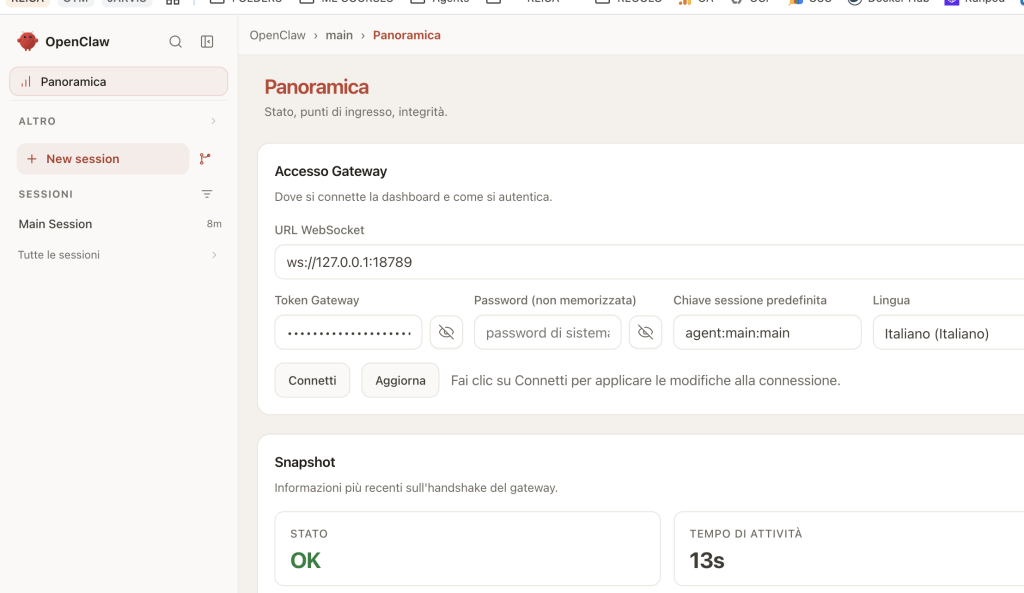
OpenClaw integration is the simpler path. Two commands:
openclaw plugins install @tencentdb-agent-memory/memory-tencentdb
openclaw gateway restartCode language: Bash (bash)
Then enable it in your config:
// ~/.openclaw/openclaw.json
{
  "memory-tencentdb": {
    "enabled": true
  }
}Code language: JavaScript (javascript)
That’s the zero-config setup. It defaults to local SQLite, hybrid recall (BM25 + vector + RRF fusion), and captures every conversation automatically. Memory extraction runs every 5 turns, persona generation every 50 new memories.
Enabling Short-Term Compression (Optional)
Short-term compression (the Mermaid symbolic memory system) is off by default. To enable it, you need version ≥ 0.3.4 and two steps:
Step 1 — Add the slot to your plugin config:
{
  "plugins": {
    "slots": {
      "contextEngine": "memory-tencentdb"
    }
  }
}Code language: JavaScript (javascript)
Step 2 — Apply the runtime patch:
bash scripts/openclaw-after-tool-call-messages.patch.shCode language: Bash (bash)The patch hooks after-tool-call messages so tool outputs get offloaded and recovered correctly. Run it once per OpenClaw installation; re-run after upgrading OpenClaw.
Upgrading
Use the native command — not npm:
openclaw plugins update @tencentdb-agent-memory/memory-tencentdbCode language: Bash (bash)This prevents the plugin from being disabled due to semantic version range issues.
Setting Up with Hermes Agent
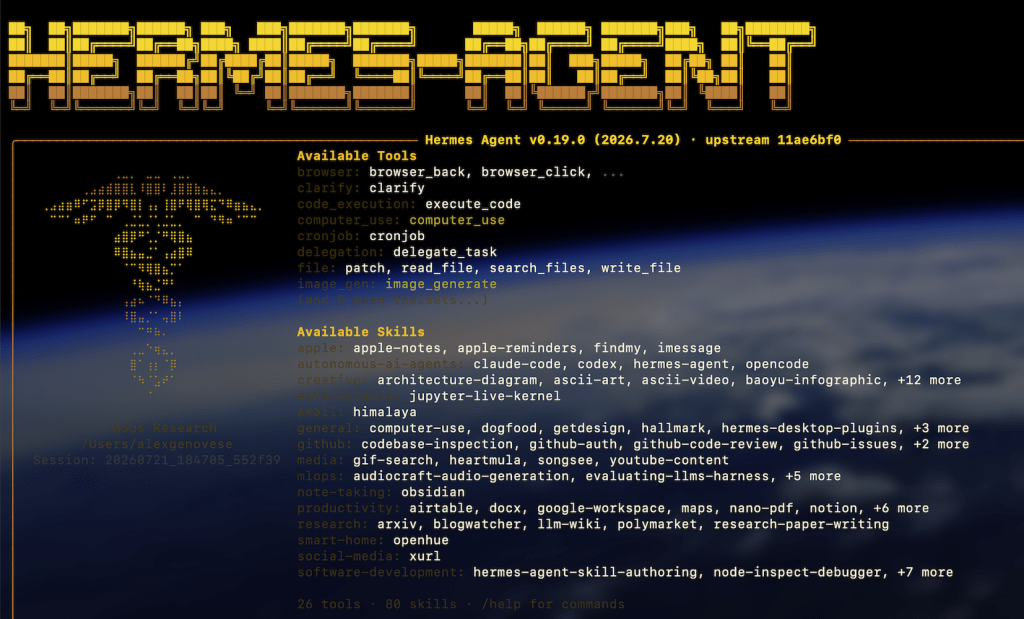
Hermes gives you three installation paths. Pick based on your situation.
Hermes via Docker (One Command)
If you’re starting from scratch, the Docker image bundles everything — Hermes Agent + the memory provider + the Gateway. The Gateway listens on :8420.
# Set your credentials
MODEL_API_KEY="your-regolo-api-key"
MODEL_BASE_URL="https://api.regolo.ai/v1"
MODEL_NAME="openai/gpt-4o"
MODEL_PROVIDER="custom"

# Build
cd docker/opensource
docker build -f Dockerfile.hermes -t hermes-memory .

# Run
docker run -d \
  --name hermes-memory \
  --restart unless-stopped \
  -p 8420:8420 \
  -e MODEL_API_KEY="$MODEL_API_KEY" \
  -e MODEL_BASE_URL="$MODEL_BASE_URL" \
  -e MODEL_NAME="$MODEL_NAME" \
  -e MODEL_PROVIDER="$MODEL_PROVIDER" \
  -v hermes_data:/opt/data \
  hermes-memory

# Verify
curl http://localhost:8420/health

# Start interacting
docker exec -it hermes-memory hermesCode language: Bash (bash)
The image ships with Tencent Cloud DeepSeek-V3.2 as default. If you use that model, you can omit MODEL_BASE_URL, MODEL_NAME, and MODEL_PROVIDER — just pass MODEL_API_KEY. For Regolo.ai or other providers, pass all three.
The -v hermes_data:/opt/data flag persists memory data across container restarts. Without it, you lose everything when the container is removed.
Hermes on an Existing Install (No Docker)
This is the path if you already have hermes-agent running and just want to bolt on memory. Seven steps:
1. Download the plugin:
mkdir -p ~/.memory-tencentdb
TEMP_DIR=$(mktemp -d)
cd "$TEMP_DIR"
npm init -y --silent
npm install @tencentdb-agent-memory/memory-tencentdb@latest --omit=dev
cp -r node_modules/@tencentdb-agent-memory/memory-tencentdb \
      ~/.memory-tencentdb/tdai-memory-openclaw-plugin
rm -rf "$TEMP_DIR"Code language: Bash (bash)
2. Install Gateway dependencies:
cd ~/.memory-tencentdb/tdai-memory-openclaw-plugin
npm install --omit=dev
npm install tsxCode language: Bash (bash)
3. Link to the Hermes plugin directory:
rm -rf ~/.hermes/hermes-agent/plugins/memory/memory_tencentdb
ln -sf ~/.memory-tencentdb/tdai-memory-openclaw-plugin/hermes-plugin/memory/memory_tencentdb \
       ~/.hermes/hermes-agent/plugins/memory/memory_tencentdbCode language: Bash (bash)
The directory must be named memory_tencentdb (underscore, not hyphen). Hermes uses the directory name as the provider key. memory-tencentdb (hyphen) is a config-level alias only — it won’t work as a directory name.
4. Declare the provider in ~/.hermes/config.yaml:
memory:
  provider: memory_tencentdbCode language: YAML (yaml)
5. Configure the Gateway in ~/.hermes/.env:
MEMORY_TENCENTDB_GATEWAY_CMD="sh -c 'cd ~/.memory-tencentdb/tdai-memory-openclaw-plugin && exec npx tsx src/gateway/server.ts'"
MEMORY_TENCENTDB_GATEWAY_HOST="127.0.0.1"
MEMORY_TENCENTDB_GATEWAY_PORT="8420"Code language: Bash (bash)
Add LLM credentials:
TDAI_LLM_API_KEY="your-regolo-api-key"
TDAI_LLM_BASE_URL="https://api.regolo.ai/v1"
TDAI_LLM_MODEL="openai/gpt-4o"Code language: Bash (bash)
Or use a config file at ~/.memory-tencentdb/memory-tdai/tdai-gateway.json:
{
  "llm": {
    "baseUrl": "https://api.regolo.ai/v1",
    "apiKey": "your-regolo-api-key",
    "model": "openai/gpt-4o"
  }
}Code language: JavaScript (javascript)
6. Start the Gateway — two options:
- Auto-discovery (recommended): Don’t start anything manually. Just start talking to Hermes. The provider auto-detects the Gateway script and launches it on first conversation. The initial turn may have a slight delay.
- Manual start:
cd ~/.memory-tencentdb/tdai-memory-openclaw-plugin && npx tsx src/gateway/server.ts
7. Verify:
curl http://127.0.0.1:8420/health
# Should return {"status":"ok"} or {"status":"degraded"}Code language: Bash (bash)
Hermes on Windows
Run the bundled batch script from the repo root in Command Prompt or PowerShell:
$env:TDAI_LLM_API_KEY="your-regolo-api-key"
$env:TDAI_LLM_BASE_URL="https://api.regolo.ai/v1"
$env:TDAI_LLM_MODEL="regolo/gemma4-31b"
.\scripts\setup-hermes-memory-tencentdb.batCode language: Bash (bash)
The script checks for Node.js ≥ 22.16.0, npm, Python, and Hermes. It handles everything: installs dependencies, creates the data directory, copies the provider, writes environment variables, starts the Gateway, and polls health.
If %USERPROFILE%\.hermes\config.yaml already exists, make sure it contains:
memory:
  provider: memory_tencentdbCode language: YAML (yaml)
Embedding Configuration
By default, the system uses local SQLite with sqlite-vec for vector storage. For better recall quality, you can configure a remote embedding service:
{
  "embedding": {
    "enabled": true,
    "provider": "openai",
    "baseUrl": "https://api.regolo.ai/v1",
    "apiKey": "your-regolo-api-key",
    "model": "regolo/Qwen3-Embedding-8B",
    "dimensions": 1536,
    "sendDimensions": true
  }
}Code language: JavaScript (javascript)
If you’re using BGE-M3 or another model that doesn’t support Matryoshka truncation, set sendDimensions: false — otherwise you’ll get HTTP 400 errors.
For self-hosted embedding services, point baseUrl to your local endpoint. The system supports any OpenAI-compatible embedding API.
What the LLM Tools Actually Do
The provider exposes two tools to the LLM:
| Tool | Purpose | Arguments |
|---|---|---|
memory_tencentdb_memory_search | Search L1 structured memories (facts, personas, instructions) | query (required), limit (1–20, default 5), type (persona/episodic/instruction) |
memory_tencentdb_conversation_search | Search L0 raw conversation history | query (required), limit (1–20, default 5) |
The Agent can call these tools during a conversation to proactively look up relevant past context. The auto-recall system also uses these internally — it runs before each turn without the Agent explicitly asking.
Tool-call arguments are defensively coerced: limit accepts ints, numeric strings, and floats. It rejects bools and clamps to [1, 20].
Debugging and White-Box Inspection
This is where TencentDB Agent Memory differentiates itself from every other memory system we’ve tested – the key intermediates are human-readable files:
- L2 Scenario blocks — plain Markdown. Open them and read.
- L3 Persona —
persona.md, traces back to the Scenarios that produced it. - Short-term task canvases — Mermaid diagrams, readable by both humans and Agents.
- Raw payloads — linked by
result_refandnode_id.
All memory artifacts live under ~/.openclaw/memory-tdai/ (OpenClaw) or ~/.memory-tencentdb/memory-tdai/ (Hermes standalone). The directory structure:
~/.memory-tencentdb/memory-tdai/
├── L0/                    # Raw conversations (JSONL)
├── L1/                    # Extracted atomic facts
├── L2/                    # Scenario blocks (Markdown)
├── L3/
│   └── persona.md         # User persona
├── refs/                  # Offloaded raw tool outputs
└── tasks/                 # Mermaid task canvasesCode language: PHP (php)
When recall goes wrong, the diagnostic path is deterministic: Persona → Scenario → Atom → Conversation. No opaque vector scores. No guesswork.
Gateway logs live at ~/.hermes/logs/memory_tencentdb/ (or ~/.openclaw/logs/):
gateway.stdout.log— normal operationgateway.stderr.log— errors and diagnostics
Common Pitfalls and How to Fix Them
“memory-tencentdb Gateway not available” on startup.
Either auto-discovery didn’t find src/gateway/server.ts, nothing is listening on 8420, or the sidecar crashed. Check ~/.hermes/logs/memory_tencentdb/gateway.stderr.log. If you want to pin a specific path, set MEMORY_TENCENTDB_GATEWAY_CMD explicitly — it always wins over discovery.
Directory named memory-tencentdb instead of memory_tencentdb.
The symlinked directory must use an underscore: memory_tencentdb. The hyphenated form is a config-level alias. Hermes won’t find it otherwise.
Gateway starts from the wrong checkout.
Auto-discovery walks a fixed preference list (in-tree first, then $HOME). To pin a specific path, set MEMORY_TENCENTDB_GATEWAY_CMD explicitly.
Circuit breaker tripped.
Five consecutive Gateway errors. Calls are paused for 60 seconds. Check Gateway health and logs. Usually means the LLM endpoint is down or rate-limited.
Capture backlog warnings.
The Gateway is slow or hung. The provider tracks at most 4 in-flight sync_turn threads. If you see this, check for stuck L1 extractions or LLM timeouts in Gateway logs.
BM25 tokenizer errors with English text.
Default BM25 language is Chinese ("zh", using jieba). Change to "en" in your config if your conversations are in English.
FAQ
Does TencentDB Agent Memory work with models other than DeepSeek?
Yes. The Gateway uses any OpenAI-compatible API for L1/L2/L3 extraction. Set TDAI_LLM_BASE_URL and TDAI_LLM_MODEL to your preferred provider. Regolo.ai, DeepSeek, Anthropic (via proxy), Gemini, local models via vLLM or Ollama — all work. Regolo.ai is recommended for EU data residency and zero data retention.
What happens if the Gateway crashes mid-session?
The provider has a circuit breaker: 5 consecutive failures → 60-second pause. When the Gateway comes back, memory operations resume automatically. No conversation data is lost — L0 is written synchronously before the circuit breaker trips.
Can I use TencentDB Agent Memory without a vector database?
Yes. The default backend is local SQLite + sqlite-vec. No cloud services required. For better recall quality at scale, you can configure Tencent Cloud VectorDB (tcvdb) or any OpenAI-compatible embedding service.
How much disk space does the memory system use?
Depends on conversation volume. L0 (raw conversations) is the heaviest. The capture.l0l1RetentionDays setting controls cleanup — set to 0 (default) to never clean up, or specify days to auto-prune old data. L2 scenarios and L3 persona are tiny Markdown files.
Does it work with Hermes Agent on Android?
The project lists Hermes support broadly. Docker is the cleanest path on Android if you have a container runtime. For native Android (Termux), the Node.js ≥ 22.16.0 requirement may be a blocker — check the Hermes docs for Android-specific guidance.
Can I migrate memory between machines?
Not yet. The roadmap lists “portable memory: cross-Agent / cross-framework / cross-device import, export, and live migration” as a planned feature. For now, you’d need to copy the ~/.memory-tencentdb/memory-tdai/ directory manually.
Start your free 30-day trial at regolo.ai and deploy LLMs with complete privacy by design.
👉 Talk with our Engineers or Start your 30 days free →
- Discord – Share your thoughts
- GitHub Repo – Code of blog articles ready to start
- Follow Us on X @regolo_ai
- Open discussion on our Subreddit Community
Built with ❤️ by the Regolo team. Questions? regolo.ai/contact or chat with us on Discord
Related agent memory & security guides: Compare TencentDB Agent Memory with Git-backed codebase memory in ai-memory, knowledge-graph memory with Cognee, Hermes Agent security hardening, privacy-first AI in Europe, and our developer integrations hub.