

The Regolo Playground is a focused environment for experimenting with open models, designed to make prompt iteration, model selection, and evaluation fast, transparent, and production-ready.
What the Playground Is
The Playground is a browser-based console where you can interact with any available model using a clean, two-column layout: inputs on the left, outputs and metrics on the right.
From the same screen, you can switch your execution view between Form, JSON, Python, Node.js, and cURL, which makes it easy to go from manual testing to copy‑pasteable code in seconds.
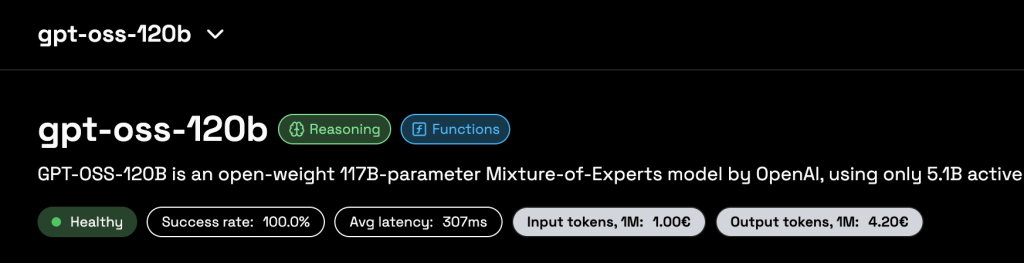
At the top of the page you select the model (for example a reasoning-optimized 70B model) and see its health, success rate, latency, and token stats, so you always understand the behavior of the engine you are testing. Below, the Prompt Message and Role fields let you reproduce realistic request patterns, emulating how your backend or application will actually call the API.
Core Features at a Glance
The left panel exposes the main inference controls: reasoning effort, temperature, top‑p, number of choices, and penalties, giving you precise control over creativity versus determinism. These options are surfaced as intuitive sliders and dropdowns, making it simple to probe model behavior even if you are not yet familiar with all the underlying sampling theory.
On the right, the output area shows the assistant’s response, token usage, request cost, and additional tabs such as reasoning traces or CO₂ information, depending on the model and configuration. Because all this context is visible for each call, the Playground acts as both a debugging tool and a lightweight observability dashboard for single-request experiments.
Fast Experimentation Workflow
A typical workflow starts with a simple natural-language prompt—say a math word problem or a domain‑specific instruction—typed into the Prompt Message box.
You hit “Run Model” and get an immediate answer plus a breakdown of how many tokens were used in prompt and completion, and how much that call would cost in your current pricing plan.
Once you’re happy with a behavior, you can switch the top tabs to see the equivalent JSON body, Python snippet, Node.js example, or cURL request, and paste it directly into your codebase or API client. This shortens the time from “idea” to “working prototype” dramatically, because every experiment you perform is already expressed as production‑ready API calls that respect the same parameters you tuned in the UI.
Transparency and Observability
One of the Playground’s main strengths is operational transparency.
For every run, you can see exactly how many tokens the model consumed, split between input and output, along with the precise monetary cost of that single request.
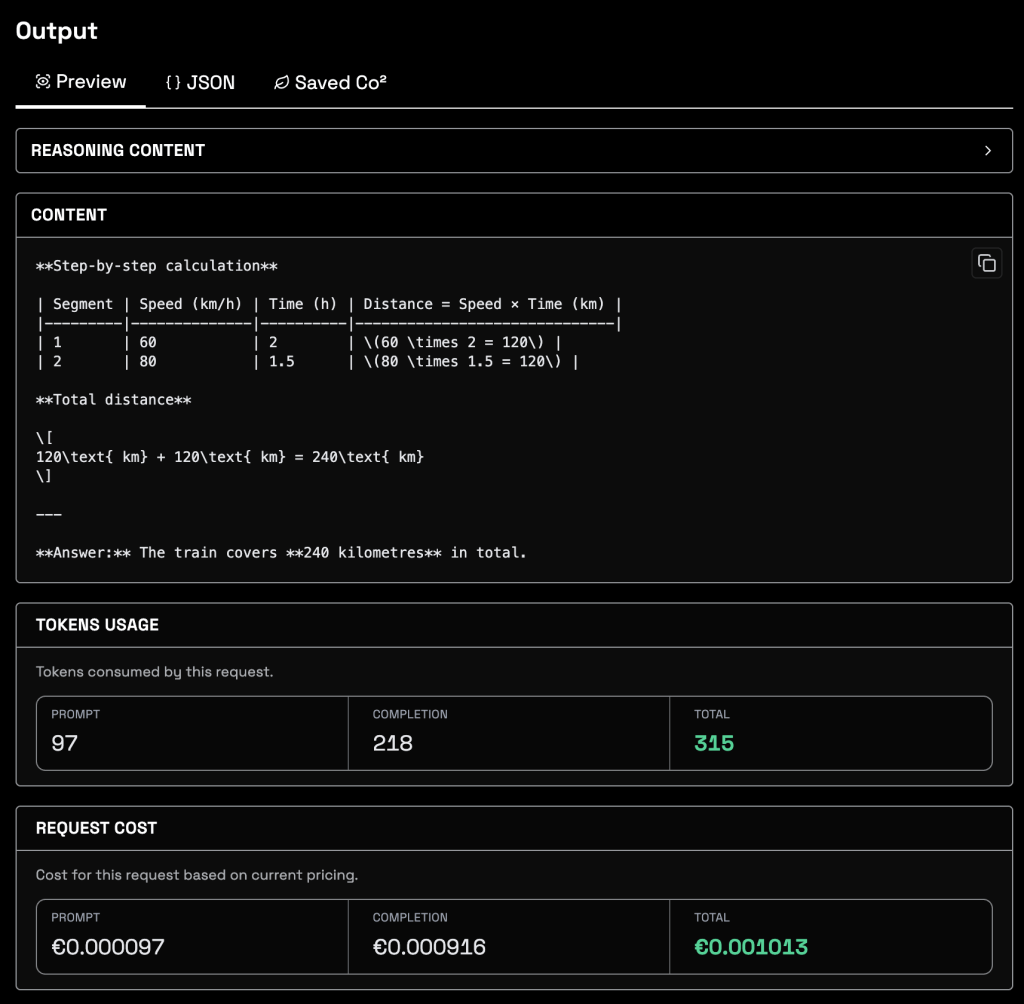
This helps teams benchmark prompts, compare models, and spot expensive configurations long before they reach production, instead of discovering surprises in the monthly invoice.
Advanced models expose additional debug information — such as reasoning content or intermediate steps — in a dedicated area of the output panel. This is particularly useful when you are evaluating chain‑of‑thought reasoning or complex agents, because you can inspect how the model arrived at a result and refine prompts accordingly.
Carbon Footprint Awareness
The Playground also surfaces the environmental cost of inference through a dedicated CO₂ impact view, which estimates energy used per API call and the corresponding emissions and savings. In the screenshot, you can see metrics like power in watts, total energy in kWh, and grams of CO₂ saved compared to a baseline, all tied to the specific request you just executed.
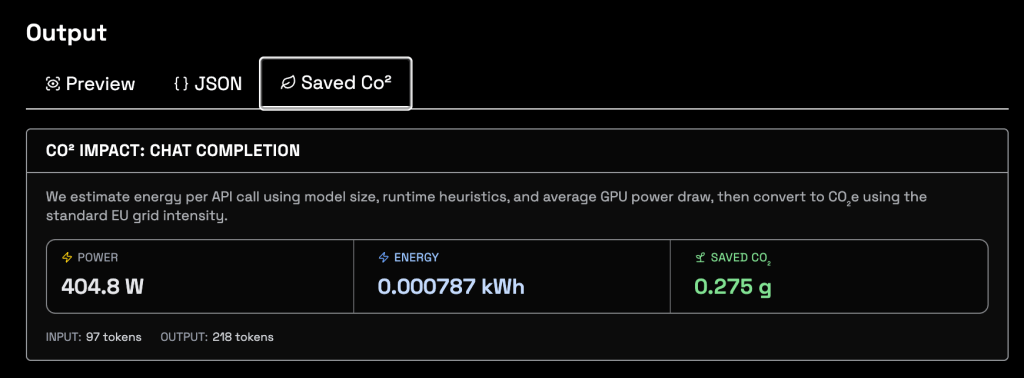
This matters because AI workloads are becoming a non‑trivial share of data‑center energy consumption, and many enterprises now treat carbon reporting as seriously as financial reporting.
By exposing per‑call energy and CO₂ values next to cost and tokens, the Playground lets you design prompts and choose models with both performance and sustainability in mind, instead of treating carbon as an afterthought.
When you scale from a single test prompt to millions of monthly requests, the cumulative impact of model choice, temperature, or context length becomes enormous.
The CO₂ counter provides a concrete way to quantify those decisions early, so you can document environmental benefits to ESG teams, customers, and regulators while still iterating quickly in development.
From Playground to Production
Because the Playground mirrors the same OpenAI‑compatible API used in production, there is almost no friction when you move from successful experiments to deployed features.
Developers can fine‑tune prompts, sampling parameters, and model selection in the UI, then export the exact configuration into their services, CI pipelines, or integration platforms without rewriting payloads.
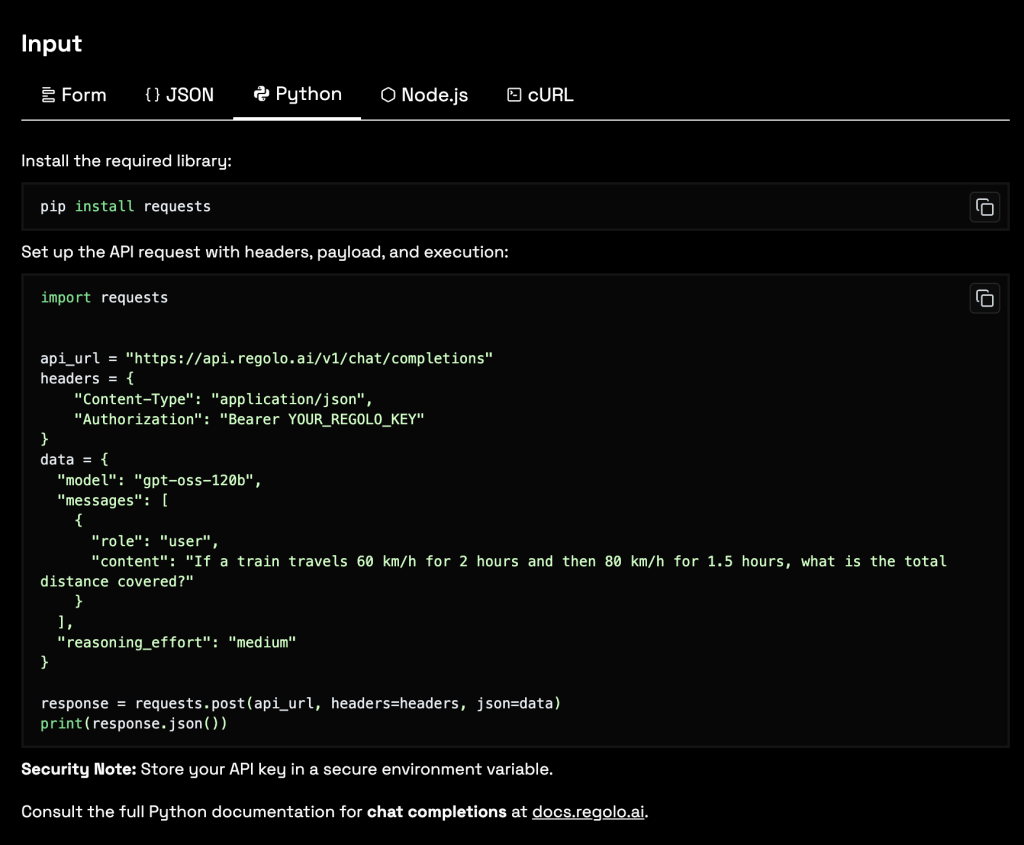
For teams building internal tools, copilots, RAG systems, or automation workflows, this combination of rapid testing, cost and token transparency, and real‑time carbon metrics turns the Playground into a strategic control center rather than a mere demo page.
It lets you align technical quality, operational cost, and sustainability goals from day one—inside a single screen that any engineer on the team can understand and use effectively.