
GraphRAG improves retrieval‑augmented generation by converting raw text into a knowledge graph, enabling multi‑hop reasoning and corpus‑wide synthesis that standard chunk‑based RAG cannot provide. Using Regolo.ai’s inference API lets you plug any open‑AI‑compatible LLM (e.g., Qwen2.5‑14B‑Instruct for fast routing, Llama‑3.3‑70B‑Instruct or gpt‑oss‑120b for complex reasoning) into the GraphRAG pipeline.
Prerequisites
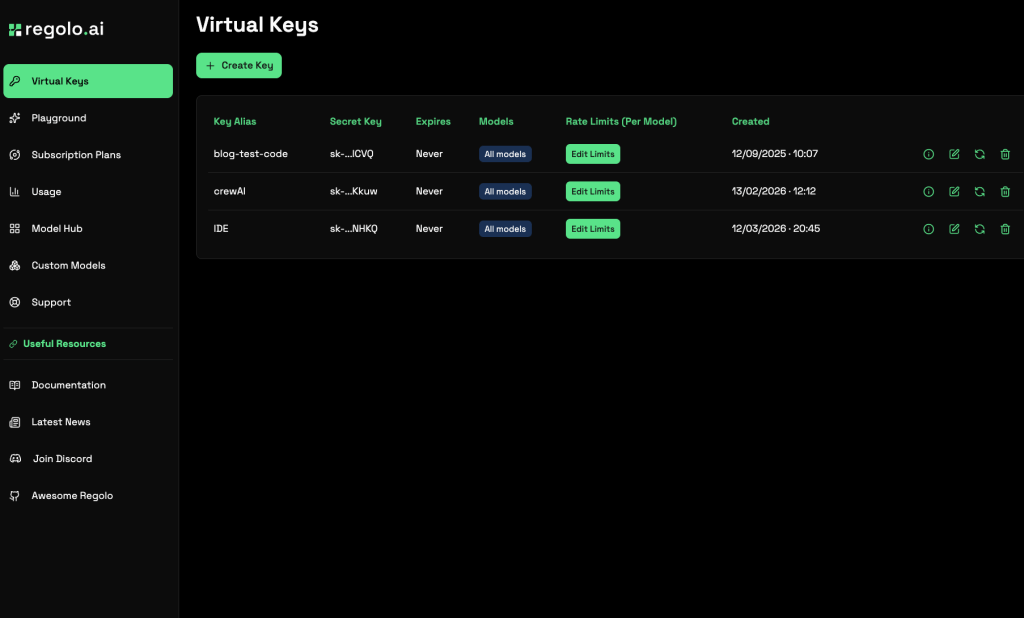
- A Regolo.ai account with an API key (create under “API Keys” in the dashboard) -> Sign Up here and get 30 Day Free
- Python 3.9+ installed.
- Basic familiarity with command‑line tools and YAML/JSON configuration.
Project Setup
Create a fresh directory and initialize a Python project using uv (or pip). Install the official Microsoft GraphRAG library, which provides the indexing and querying CLI.
<code>mkdir regolo-graphrag && cd regolo-graphrag
uv init
uv add graphrag
graphrag init --root .</code>Code language: Bash (bash)
This scaffolds the following structure:
<code>regolo-graphrag/
├── .env                 # API key configuration
├── settings.yaml        # Pipeline settings
├── prompts/             # LLM prompt templates (extract_graph.txt, summarize_descriptions.txt, …)
└── input/               # Place your source documents here</code>Code language: PHP (php)
Configure Regolo.ai as the LLM Provider
Edit .env to store your Regolo key and point the GraphRAG config to Regolo’s open‑AI‑compatible endpoint.
<code>GRAPHRAG_API_KEY=your_regolo_secret_key
GRAPHRAG_BASE_URL=https://api.regolo.ai/v1
GRAPHRAG_MODEL=Qwen2.5-14B-Instruct   # fast model for extraction
GRAPHRAG_REASONING_MODEL=Llama-3.3-70B-Instruct   # stronger model for summarization/reasoning</code>Code language: Bash (bash)
Update settings.yaml to use these variables. Replace the default OpenAI sections with the following:
<code>models:
  default_chat_model:
    type: openai_chat
    auth_type: api_key
    api_key: ${GRAPHRAG_API_KEY}
    base_url: ${GRAPHRAG_BASE_URL}
    model: ${GRAPHRAG_MODEL}
    model_supports_json: true
    concurrent_requests: 25

  default_embedding_model:
    type: openai_embedding
    auth_type: api_key
    api_key: ${GRAPHRAG_API_KEY}
    base_url: ${GRAPHRAG_BASE_URL}
    model: text-embedding-3-small   # Regolo supports the same embedding names via openai proxy</code>Code language: Bash (bash)
If you prefer the reasoning model for the extraction step, set model: ${GRAPHRAG_REASONING_MODEL} under default_chat_model.
Prepare Source Documents
Add plain‑text files (.txt, .md, etc.) to the input/ folder. For a quick test, you can download a few public domain essays or use your own internal knowledge base. Ensure the total size is modest for initial runs (a few thousand tokens) to keep indexing costs low.
Run the Indexing Pipeline
The indexing stage performs five steps: chunking, entity/relationship extraction, graph construction, community detection (Leiden algorithm), and community summarization. Execute:
<code>graphrag index --root .</code>Code language: Bash (bash)You should see output similar to:
<code>├── Loading Input (InputFileType.text) - N files loaded (0 filtered) ───
├── create_base_text_units
├── create_final_documents
├── extract_graph
├── finalize_graph
├── create_final_entities
├── create_final_relationships
├── create_final_text_units
├── create_base_entity_graph
├── create_communities
├── create_final_communities
├── create_community_reports
├── generate_text_embeddings
⠋ GraphRAG Indexer
├── All workflows completed successfully
</code>Code language: HTML, XML (xml)
Artifacts are written to output/ as Parquet files (entities.parquet, relationships.parquet, communities.parquet, community_reports.parquet, text_units.parquet) and a LanceDB folder for vector embeddings.
Query the Knowledge Graph
GraphRAG offers three query modes, each suited to different question types:
- Global search – map‑reduce over community summaries for thematic, corpus‑wide questions.
- Local search – traverses entity neighborhoods for specific fact lookup.
- DRIFT search – combines broad context with targeted traversal for complex queries.
Run a global search example:
<code>graphrag query \
  --root . \
  --method global \
  --query "What are the main themes across the documents?"
</code>Code language: Bash (bash)
For a local search (entity‑specific):
<code>graphrag query \
  --root . \
  --method local \
  --query "What does the document say about [Entity Name]?"</code>Code language: Bash (bash)
And a DRIFT search:
<code>graphrag query \
  --root . \
  --method drift \
  --query "How does [Concept A] relate to [Concept B] in the corpus?"</code>Code language: HTML, XML (xml)
Programmatic Access (Python API)
For production integration, load the indexed data and call the async API directly:
<code>import os
import yaml
from pathlib import Path
from dotenv import load_dotenv
from graphrag.config.create_graphrag_config import create_graphrag_config
import pandas as pd
import asyncio
from graphrag.api import global_search, local_search, drift_search

ROOT_DIR = Path(".")
load_dotenv(ROOT_DIR / ".env")
with open(ROOT_DIR / "settings.yaml") as f:
    yaml_content = f.read()
    yaml_content = os.path.expandvars(yaml_content)
    settings = yaml.safe_load(yaml_content)
config = create_graphrag_config(values=settings, root_dir=str(ROOT_DIR))

output_dir = ROOT_DIR / "output"
entities = pd.read_parquet(output_dir / "entities.parquet")
relationships = pd.read_parquet(output_dir / "relationships.parquet")
communities = pd.read_parquet(output_dir / "communities.parquet")
community_reports = pd.read_parquet(output_dir / "community_reports.parquet")
text_units = pd.read_parquet(output_dir / "text_units.parquet")

async def run_global(query: str):
    resp, _ = await global_search(
        config=config,
        entities=entities,
        communities=communities,
        community_reports=community_reports,
        text_units=text_units,
        relationships=relationships,
        query=query,
        response_type="Multiple Paragraphs",
    )
    return resp

<em># Example usage</em>
answer = asyncio.run(run_global("Summarize the key risks mentioned in the documents."))
print(answer)</code>Code language: Python (python)
Replace global_search with local_search or drift_search as needed. Adjust community_level to control granularity (lower levels = finer detail, higher levels = faster, broader).
Cost‑Optimization Tips
- Model selection: Use the smaller, faster model for the extraction step where most LLM calls happen, reserving the larger reasoning model for summarization/community reporting if higher quality is required.
- Concurrency: Tune
concurrent_requestsinsettings.yamlbased on your Regolo rate limits to parallelize chunk processing without hitting throttling. - Chunk size: Larger chunks reduce the number of extraction calls but may lower entity recall; the default 1200‑token chunk with 100‑token overlap works well for most corpora.
- Index only once: The heavy lifting is in indexing; subsequent queries are comparatively cheap, especially local and DRIFT modes.
Verification and Debugging
- Inspect the generated Parquet files with
pandasorsparkto confirm entity extraction quality. - If you see many “Unknown” entities, consider customizing the extraction prompt in
prompts/extract_graph.txtto add domain‑specific examples. - Regolo’s API returns standard OpenAI‑compatible responses; any authentication errors will surface as 401—double‑check your API key and base URL.
By following these steps you can deploy a production‑ready GraphRAG pipeline that leverages Regolo.ai’s efficient, EU‑hosted LLMs. The pipeline transforms raw documents into a queryable knowledge graph, enabling powerful thematic synthesis (global search), precise fact retrieval (local search), and balanced reasoning (DRIFT). Adjust model choices and concurrency settings to match your budget and latency requirements, and you’ll have a scalable, explainable retrieval system ready for complex question‑answering tasks.
🚀 Start your free 30-day trial at regolo.ai and deploy LLMs with complete privacy by design.
👉 Talk with our Engineers or Start your 30 days free →
- Regolo Discord – Share your thoughts
- GitHub Repo – Code of blog articles ready to start
- Follow Us on X @regolo_ai
- Open discussion on our Subreddit Community
🚀 Ready to scale?
Built with ❤️ by the Regolo team. Questions? support@regolo.ai or chat with us on Discord