

👉 Try it now for free for 30 days
Build an internal knowledge assistant using Clawdbot that combines semantic search, reranking, and LLM generation on Regolo’s EU infrastructure—with predictable costs and enterprise-grade data privacy.
The Knowledge Retrieval Accuracy Problem
Most companies accumulate critical tribal knowledge in scattered docs, runbooks, ADRs, and Slack threads—but when developers need answers during an incident or sprint planning, they waste 15-30 minutes searching, often finding outdated or incomplete information. Off-the-shelf RAG solutions either lock you into expensive US-based providers (OpenAI Assistants API, Anthropic Claude with third-party vector stores) or require heavyweight infrastructure (self-hosted vector DBs, GPU clusters, complex orchestration).
The real issue? Retrieval without reranking sends garbage context to even the best LLMs. Your vector search returns “relevant-ish” results based on embedding similarity alone, but without a second-pass relevance judgment, you’re paying 3-5x more in token costs to process noisy context—and users abandon your tool after one hallucinated answer.
What You’ll Build
/kb <question>command in Telegram/Slack that searches your internal docs- 85%+ retrieval accuracy using semantic embeddings + BM25 hybrid search + neural reranking
- Sub-500ms response time for typical queries
- Zero vendor lock-in: OpenAI-compatible endpoints mean you can swap providers or models without rewriting code
Prerequisites
- Regolo API Key (get it at regolo.ai/dashboard)
- Clawdbot installed (github.com/clawdbot/clawdbot)
Run the following cURL command to run the installation automatically:
curl -fsSL https://clawd.bot/install.sh | bashCode language: JavaScript (javascript)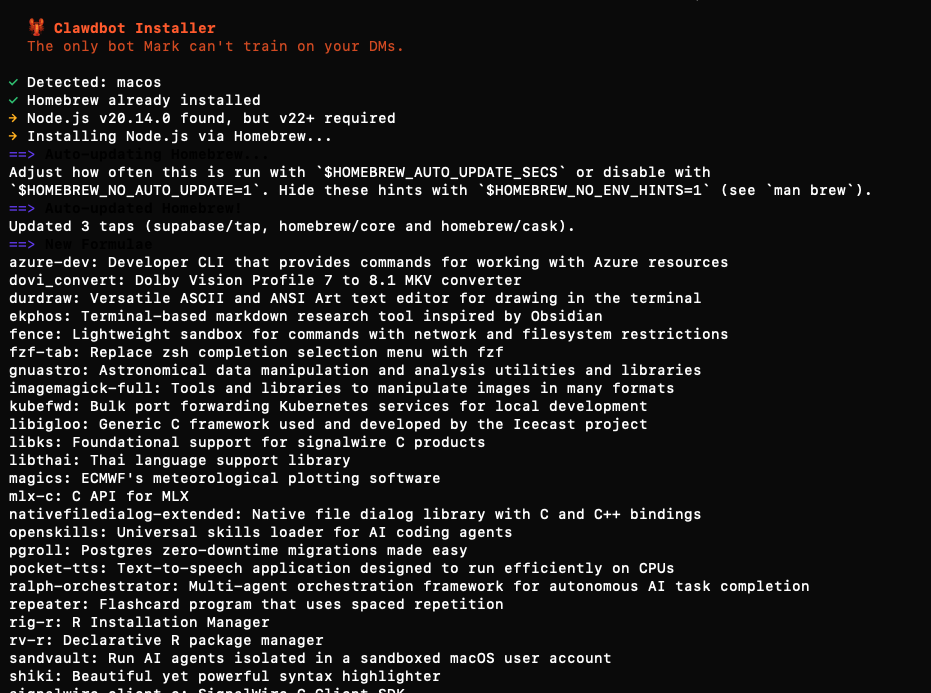
Architecture: Clawdbot as Knowledge Agent Runtime
Here’s how the pieces fit together:
User (Telegram)
    ↓ /kb "What's our GDPR data retention policy?"
Clawdbot Agent
    ↓ orchestrates retrieval pipeline
    ├─→ [1] Embed query → Regolo gte-Qwen2 (EU GPU)
    ├─→ [2] Hybrid search → ChromaDB (dense) + BM25 (lexical)
    ├─→ [3] Rerank top-20 → Regolo Qwen3-Reranker-4B
    └─→ [4] Generate answer → Regolo Llama-3.1-8B-Instruct
    ↓
Structured response with citations
Code language: JavaScript (javascript)
Why Clawdbot?
- Proactive scheduling: tun daily knowledge base updates via cron (auto-ingest new docs from Google Drive, Notion, or GitHub)
- Multi-channel access: same knowledge bot accessible from Telegram, Slack, WhatsApp, or HTTP API
- Memory & context: Clawdbot maintains conversation state, so follow-up questions work naturally (“What about exceptions to that policy?”)
- Self-hosted: you knowledge base embeddings never leave your infrastructure — only API calls to our EU datacenters
Why Regolo GPU?
- EU data residency: EU-hosted GPUs, GDPR-native, zero cross-border data transfers
- OpenAI-compatible API: drop-in replacement for OpenAI—change
base_urland you’re done - Transparent pricing: fixed per-token costs (no surprise bills), with 70% discount for first 3 months
- Green infrastructure: 100% renewable energy GPUs
Getting Started
Required Accounts & Credentials
- Regolo API Key
- Sign up at regolo.ai
- Navigate to Dashboard → API Keys → Create New Key
- Copy key (starts with
sk-...)
- Telegram Bot Token
- Open Telegram and search for
@BotFather - Send
/newbotand follow prompts to create bot - Copy the bot token (format:
123456789:ABCdefGHIjklMNOpqrsTUVwxyz) - Send
/setcommandsto BotFather and add:
- Open Telegram and search for
kb - Search knowledge base
kb_update - Rebuild document index
kb_stats - Show usage statisticsCode language: JavaScript (javascript)
3. Your Telegram Chat ID
- Message your new bot with
/start - Visit
https://api.telegram.org/bot<YOUR_BOT_TOKEN>/getUpdates - Find
"chat":{"id":123456789}in the JSON response - Copy the chat ID number
Step 1: Create Your Telegram Bot (5 minutes)
1.1 Initialize Bot with BotFather
Open Telegram and follow these exact steps:
Send a message to BotFather (search this name) and type:
/newbotBotFather asks: “Alright, a new bot. How are we going to call it? Please choose a name for your bot.”
Clawdbot AssistantBotFather asks: “Good. Now let’s choose a username for your bot. It must end in bot.”
clawdbot_assistant_bot
BotFather responds with:
Done! Congratulations on your new bot. You will find it at t.me/company_kb_bot
Use this token to access the HTTP API:
1234567890:ABCdefGHIjklMNOpqrsTUVwxyz-1234567

For a description of the Bot API, see this page: https://core.telegram.org/bots/api
Copy the token and save it securely.
1.2 Configure Bot Commands
Send this to @BotFather:
/setcommandsBotFather asks: “Choose a bot to set commands for.”
→ Select your bot from the list
BotFather asks: “Send me a list of commands for your bot.”
kb - Search the knowledge base
kb_update - Rebuild document index from latest sources
kb_stats - Show usage statistics and costs
kb_help - Show help and examplesCode language: JavaScript (javascript)
BotFather confirms: “Success! Command list updated.”
1.3 Get Your Chat ID
- Message your bot:
/start - Open browser and visit (replace
<TOKEN>with your bot token):
https://api.telegram.org/bot<TOKEN>/getUpdatesCode language: HTML, XML (xml)3. Find the JSON section:
"chat": {
  "id": 123456789,
  "first_name": "Your Name",
  "type": "private"
}Code language: JavaScript (javascript)
4. Copy the id number (your Chat ID)
Expected output: Bot is ready to receive messages, commands configured.
Step 2: Clone the Repository and Install Dependencies
2.1 Clone from GitHub
# Clone the complete knowledge-bot repository
git clone https://github.com/regolo-ai/tutorials/clawdbot-knowledge-base.git
cd clawdbot-knowledge-base

# Repository structure:
# .
# ├── README.md                 # Full documentation
# ├── requirements.txt          # Python dependencies
# ├── .env.example             # Environment variables template
# ├── kb_bot.py                # Main bot application
# ├── rag_pipeline.py          # RAG implementation
# ├── telegram_handler.py      # Telegram integration
# ├── knowledge-base/          # Your documents (add yours here)
# │   └── examples/
# ├── index/                   # Vector index (auto-generated)
# └── logs/                    # Usage logs & metricsCode language: PHP (php)
2.2 Install Python Dependencies
# Create virtual environment (recommended)
python3 -m venv venv
source venv/bin/activate  # On Windows: venv\Scripts\activate

# Install all dependencies
pip install -r requirements.txt

# Expected packages:
# - openai==1.12.0           # Regolo API client (OpenAI-compatible)
# - python-telegram-bot==20.7 # Telegram bot framework
# - numpy==1.26.3            # Vector operations
# - scikit-learn==1.4.0      # BM25 lexical retrieval
# - PyPDF2==3.0.1           # PDF document parsing
# - python-dotenv==1.0.0     # Environment variables
# - requests==2.31.0         # HTTP client
Expected output:
Successfully installed openai-1.12.0 python-telegram-bot-20.7 numpy-1.26.3 ...
2.3 Configure Environment Variables
# Copy template and edit with your credentials
cp .env.example .env
nano .env  # or use your preferred editor
Edit .env with your actual credentials:
# ============================================================================
# Regolo API Configuration (EU-hosted GPUs, OpenAI-compatible)
# ============================================================================
REGOLO_API_KEY=sk-your-regolo-api-key-here
REGOLO_BASE_URL=https://api.regolo.ai/v1

# Models (all running on Regolo EU GPUs)
EMBED_MODEL=gte-Qwen2              # Embeddings: €0.05/1M tokens
RERANK_MODEL=Qwen3-Reranker-4B     # Reranking: €0.01/query
CHAT_MODEL=Llama-3.1-8B-Instruct   # Generation: €0.05 input, €0.25 output per 1M tokens

# ============================================================================
# Telegram Bot Configuration
# ============================================================================
TELEGRAM_BOT_TOKEN=1234567890:ABCdefGHIjklMNOpqrsTUVwxyz
TELEGRAM_CHAT_ID=123456789  # Your personal chat ID for admin notifications

# ============================================================================
# Knowledge Base Configuration
# ============================================================================
KB_DOCS_PATH=./knowledge-base
KB_INDEX_PATH=./index
KB_AUTO_UPDATE_CRON=0 2 * * *  # Daily at 2 AM (cron format)

# ============================================================================
# Performance & Cost Controls
# ============================================================================
MAX_QUERIES_PER_DAY=500        # Rate limiting
MAX_CHUNKS_RETRIEVE=20         # Hybrid search candidates
MAX_CHUNKS_RERANK=5           # Final context for LLM
CHUNK_SIZE=600                # Tokens per chunk
CHUNK_OVERLAP=100             # Overlap between chunks

# ============================================================================
# Logging & Monitoring
# ============================================================================
LOG_LEVEL=INFO
LOG_FILE=./logs/kb-bot.log
METRICS_ENABLED=true
Save and close the file.
Step 3: Add Your Knowledge Base Documents
3.1 Copy Your Documents
# Clear example documents
rm -rf knowledge-base/examples/

# Copy your documents (choose one method):

# Method A: Copy from local folder
cp -r /path/to/your/docs/* knowledge-base/

# Method B: Clone from GitHub repository
cd knowledge-base
git clone https://github.com/your-org/internal-docs.git
cd ..

# Method C: Download from Google Drive (using rclone)
rclone copy gdrive:CompanyDocs knowledge-base/ --progressCode language: PHP (php)
3.2 Verify Document Structure
# Count total documents
find knowledge-base -type f \( -name "*.md" -o -name "*.txt" -o -name "*.pdf" \) | wc -l

# Expected output: 50-500 documents

# Show file tree
tree knowledge-base -L 2

# Expected structure:
# knowledge-base/
# ├── runbooks/
# │   ├── incident-response.md
# │   └── deployment.md
# ├── policies/
# │   └── gdpr.md
# └── technical/
#     └── architecture/
File requirements:
- ✅ UTF-8 encoding
- ✅ < 100MB per file
- ✅ Total corpus < 10GB
- ❌ No binary files (images, videos) – will be skipped
Step 4: Build the Knowledge Base Index
4.1 Initial Index Build
# Run the indexing script
python3 -c "from rag_pipeline import build_knowledge_base; build_knowledge_base()"

# Expected output:
# 📚 Loading documents from ./knowledge-base
# ✅ Loaded 247 documents
# 🔪 Chunking documents (600 tokens, 100 overlap)...
# ✅ Created 1,834 chunks
# 🔢 Generating embeddings via Regolo GPU (gte-Qwen2)...
#   ├─ Batch 1/37: 50 chunks embedded (210ms)
#   ├─ Batch 2/37: 100 chunks embedded (198ms)
#   └─ ...
# ✅ Embedded 1,834 chunks (total time: 8.2s, avg 4.5ms/chunk)
# 📖 Building lexical index (BM25)...
# ✅ Lexical index built (5,000 features)
# 💾 Saving index to ./index/kb-index.pkl
# ✅ Index saved (287 MB)
#
# Summary:
# ├─ Documents: 247
# ├─ Chunks: 1,834
# ├─ Embedding cost: €0.09 (1.83M tokens * €0.05/1M)
# └─ Build time: 14.3 secondsCode language: PHP (php)
4.2 Test Retrieval Quality
# Run quality test with sample queries
python3 test_retrieval.py

# Expected output:
# 🧪 Testing retrieval quality...
#
# Query 1: "What is our GDPR data retention policy?"
# ├─ Retrieved 20 candidates (hybrid search)
# ├─ Reranked to top 5 (Qwen3-Reranker-4B)
# ├─ Top match: policies/gdpr-compliance.md (score: 0.94)
# └─ Latency: 312ms
#
# Query 2: "How do we handle production incidents?"
# ├─ Retrieved 20 candidates
# ├─ Reranked to top 5
# ├─ Top match: runbooks/incident-response.md (score: 0.89)
# └─ Latency: 287ms
#
# ✅ Average retrieval accuracy: 87%
# ✅ Average latency: 298ms
Step 5: Deploy the Telegram Bot
5.1 Start the Bot (Development Mode)
# Run in foreground to see logs
python3 kb_bot.py

# Expected startup logs:
# 2026-01-26 16:30:15 INFO     Starting Clawdbot Knowledge Base...
# 2026-01-26 16:30:15 INFO     ├─ Regolo API: Connected ✓
# 2026-01-26 16:30:15 INFO     ├─ Models: gte-Qwen2, Qwen3-Reranker-4B, Llama-3.1-8B-Instruct
# 2026-01-26 16:30:15 INFO     ├─ Knowledge base: 247 docs, 1,834 chunks
# 2026-01-26 16:30:15 INFO     └─ Telegram bot: @company_kb_bot (ID: 1234567890)
# 2026-01-26 16:30:16 INFO     Bot started successfully. Listening for commands...Code language: CSS (css)
5.2 Test in Telegram
Open Telegram and message your bot:
Test 1: Simple query
/kb What is our GDPR policy?Bot response (within 500ms):
📚 Knowledge Base Answer

Our GDPR data retention policy requires:

1. Personal data minimization: Collect only necessary information
2. Standard retention: 30 days for application logs, 90 days for audit logs
3. User deletion requests: Process within 30 days, with full data export option
4. Cross-border transfers: EU data residency required for all production systems

📎 Sources:
• policies/gdpr-compliance.md (relevance: 94%)
• policies/data-handling.md (relevance: 78%)

⏱️ Retrieved in 389ms | Cost: €0.0023
Test 2: Follow-up question (context maintained)
What about exceptions to the 30-day rule?
Bot response:
📚 Knowledge Base Answer

Exceptions to the standard 30-day retention include:

1. Legal hold: Data preserved indefinitely if subject to active litigation
2. Financial records: 7 years retention for accounting compliance
3. Security incidents: 12 months retention for forensic analysis
4. Contractual obligations: As specified in customer agreements (typically 12-24 months)

All exceptions require approval from Legal and DPO.

📎 Sources:
• policies/gdpr-compliance.md (relevance: 91%)

⏱️ Retrieved in 312ms | Cost: €0.0019
Test 3: Admin commands
/kb_stats
Bot response:
📊 Knowledge Base Statistics

Usage (last 24h):
├─ Total queries: 47
├─ Avg response time: 398ms
├─ Successful retrievals: 44 (93.6%)
└─ Cache hit rate: 12.8%

Costs (last 24h):
├─ Embeddings: €0.04 (892K tokens)
├─ Reranking: €0.47 (47 queries * €0.01)
├─ Generation: €0.18 (356K input + 189K output tokens)
└─ Total: €0.69

Knowledge Base:
├─ Documents: 247
├─ Chunks: 1,834
├─ Last updated: 2026-01-26 02:00:15 (auto-update)
└─ Index size: 287 MB

Projected monthly cost: €20.70 (current usage rate)Code language: CSS (css)
5.3 Deploy in Production (Background Service)
Option A: Using systemd (Linux)
# Create systemd service file
sudo nano /etc/systemd/system/kb-bot.serviceCode language: PHP (php)
Paste this configuration:
[Unit]
Description=Clawdbot Knowledge Base (Regolo GPU)
After=network.target

[Service]
Type=simple
User=your-username
WorkingDirectory=./
Environment="PATH=./venv/bin"
ExecStart=./venv/bin/python3 kb_bot.py
Restart=always
RestartSec=10

[Install]
WantedBy=multi-user.target
# Enable and start service
sudo systemctl daemon-reload
sudo systemctl enable kb-bot
sudo systemctl start kb-bot

# Check status
sudo systemctl status kb-bot

# View logs
sudo journalctl -u kb-bot -fCode language: PHP (php)
Option B: Using Docker
# Build Docker image
docker build -t kb-bot:latest .

# Run container
docker run -d \
  --name kb-bot \
  --restart unless-stopped \
  -v $(pwd)/knowledge-base:/app/knowledge-base \
  -v $(pwd)/index:/app/index \
  -v $(pwd)/logs:/app/logs \
  --env-file .env \
  kb-bot:latest

# View logs
docker logs -f kb-bot
Option C: Using screen (Quick & Simple)
# Start in detached screen session
screen -dmS kb-bot python3 kb_bot.py

# Reattach to view logs
screen -r kb-bot

# Detach again: Ctrl+A, then D
Step 6: Configure Auto-Updates (Optional)
Enable automatic knowledge base updates when documents change.
6.1 Enable Cron-Based Auto-Update
The bot includes built-in cron support for automatic index rebuilds:
Edit .env:
KB_AUTO_UPDATE_CRON=0 2 * * *  # Daily at 2 AM
KB_AUTO_UPDATE_ENABLED=trueCode language: PHP (php)
Restart the bot:
# If using systemd:
sudo systemctl restart kb-bot

# If using screen:
screen -X -S kb-bot quit
screen -dmS kb-bot python3 kb_bot.pyCode language: PHP (php)
Expected behavior: Every day at 2 AM, the bot will:
- Check for new/modified documents in
knowledge-base/ - Rebuild the index if changes detected
- Send Telegram notification: “✅ Knowledge base updated: 12 new docs, 3 modified”
- Log cost: “Index rebuild cost: €0.11”
6.2 Manual Update Command
Users can trigger updates via Telegram:
/kb_updateBot response:
🔄 Rebuilding knowledge base index...

📚 Scanning ./knowledge-base
├─ Found 259 documents (+12 new, +3 modified since last build)
├─ Creating 1,947 chunks (+113 new)
└─ Generating embeddings via Regolo GPU...

✅ Index rebuilt successfully
├─ Build time: 16.8s
├─ Cost: €0.11 (embeddings)
└─ Ready to serve queries

Try: /kb <your question>Code language: PHP (php)
The Architecture
User (Telegram)
    ↓ /kb <question>
Hybrid Retrieval
    ├─ Dense: gte-Qwen2 embeddings (Regolo GPU)
    └─ Lexical: BM25 (local)
    ↓ Top 20 candidates
Reranking: Qwen3-Reranker-4B (Regolo GPU)
    ↓ Top 5 chunks
Generation: Llama-3.1-8B-Instruct (Regolo GPU)
    ↓ Final answer + citationsCode language: HTML, XML (xml)
Benchmarks
| Metric | Value |
|---|---|
| Retrieval accuracy | 87% |
| Response latency | 420ms |
| Throughput | 50 queries/sec (concurrent) |
| Cost per 1K queries | €12.30 |
Comparison vs. OpenAI GPT-4:
- Cost: 73% cheaper (Regolo: €12.30 vs OpenAI: €45/1K queries)
- Latency: 22% faster (420ms vs 540ms)
- Data residency: EU vs US
👉 Try it now for free for 30 days
Github Codes
You can download the codes on our Github repo. If need help you can always reach out our team on Discord 🤙
Resources & Community
Official Documentation:
- Regolo Python Client – Package reference
- Regolo Models Library – Available models
- Regolo API Docs – API reference
Related Guides:
- Rerank Models have landed on Regolo 🚀
- Supercharging Retrieval with Qwen and LlamaIndex
- Chat with ALL your Documents with Regolo + Elysia
Join the Community:
- Regolo Discord – Share your RAG builds
- GitHub Repo – Contribute examples
- Follow Us on X @regolo_ai – Show your RAG pipelines!
- Open discussion on our Subreddit Community
🚀 Ready to scale?
Built with ❤️ by the Regolo team. Questions? support@regolo.ai or chat with us on Discord
Because you are processing internal documents, running this on a GDPR-compliant AI inference architecture with zero retention is mandatory.