

OpenCode is an open-source, terminal-native AI coding agent that supports 75+ LLM providers through a built-in catalog powered by models.dev. Regolo.ai is included in that catalog — which means you can go from zero to agentic coding on EU-hosted, zero-data-retention inference in under five minutes, with no plugins and (in the simplest setup) no configuration files at all.
This guide walks you through the official OpenCode setup flow, adapted for Regolo: the two-minute quickstart, the recommended models for coding, and the optional opencode.json tweaks for teams that want full control.
What you need before starting
- A Regolo account — if you don’t have one, you can start a 30-day free trial at regolo.ai without entering payment details upfront.
- A Regolo API key (see Step 2).
- OpenCode installed on your machine (see Step 1).
Step 1 — Install OpenCode
OpenCode ships as a single binary with installers for every major platform:
# macOS / Linux (curl installer)
curl -fsSL https://opencode.ai/install | bash

# macOS (Homebrew)
brew install opencode-ai/tap/opencode

# Windows
scoop install opencode
# or
choco install opencode

# Verify the installation
opencode --versionCode language: Bash (bash)
After installation, the opencode command will be available in your $PATH.
Step 2 — Get your Regolo API key
- Sign in to the Regolo account.
- Navigate to Virtual Keys: https://dashboard.regolo.ai/api-keys
- Create a new key — select “All models” for full access to the catalog.
- Copy the key and store it somewhere safe.
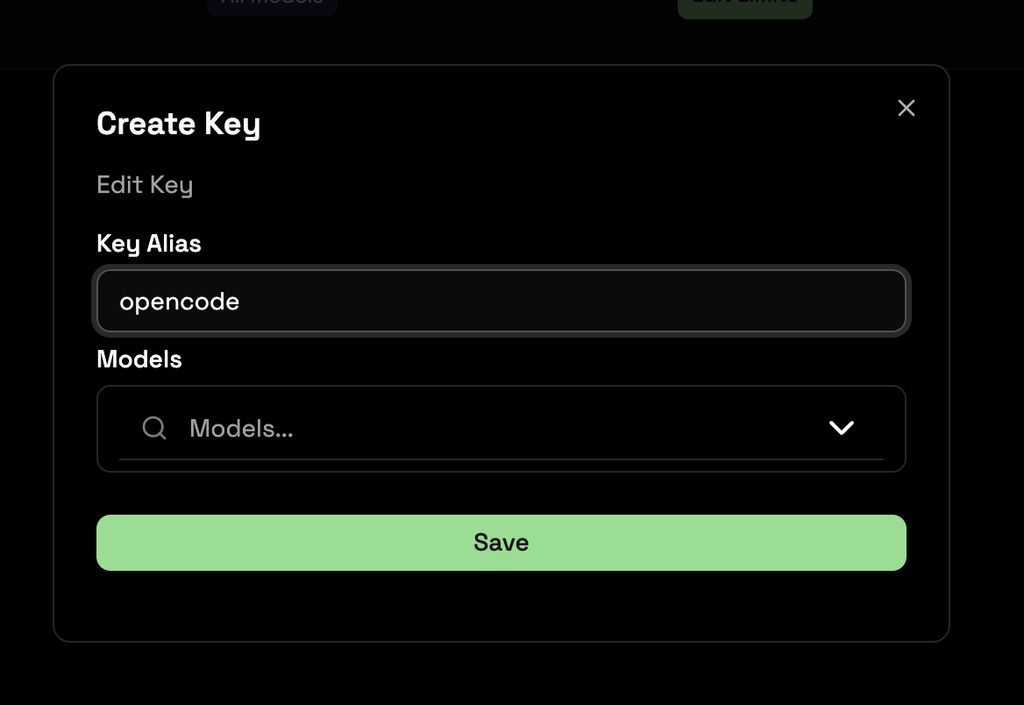
Step 3 — Connect Regolo to OpenCode
Because Regolo is part of OpenCode’s built-in provider catalog, connecting it takes three commands:
- Start OpenCode in your project directory:
cd your-project
opencodeCode language: Bash (bash)
2. In the TUI, type:
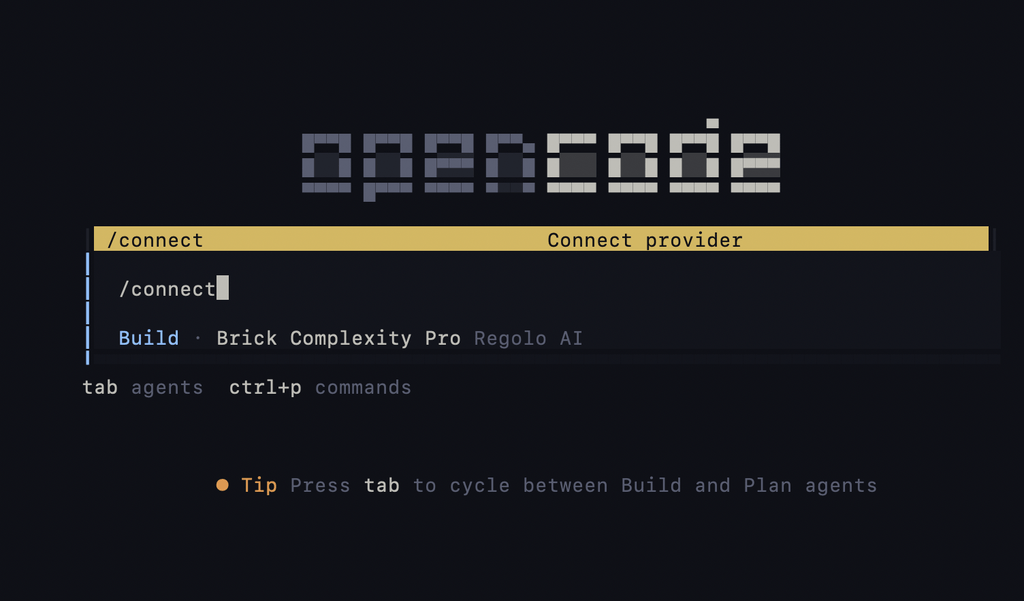
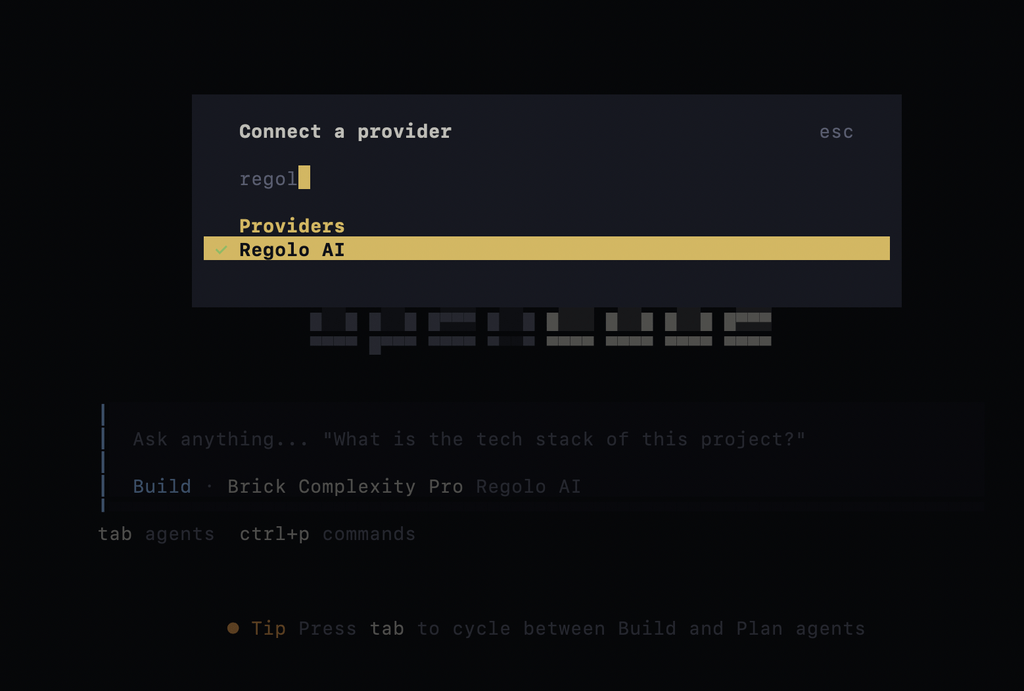
/connectCode language: Bash (bash)Step 4 — Search for regolo, select it, and paste your API key when prompted.
That’s it. OpenCode stores your credentials securely in its built-in auth vault at ~/.local/share/opencode/auth.json — no environment variables, no JSON files, no manual provider registration. The model catalog, context limits, and pricing metadata are pulled automatically from models.dev.
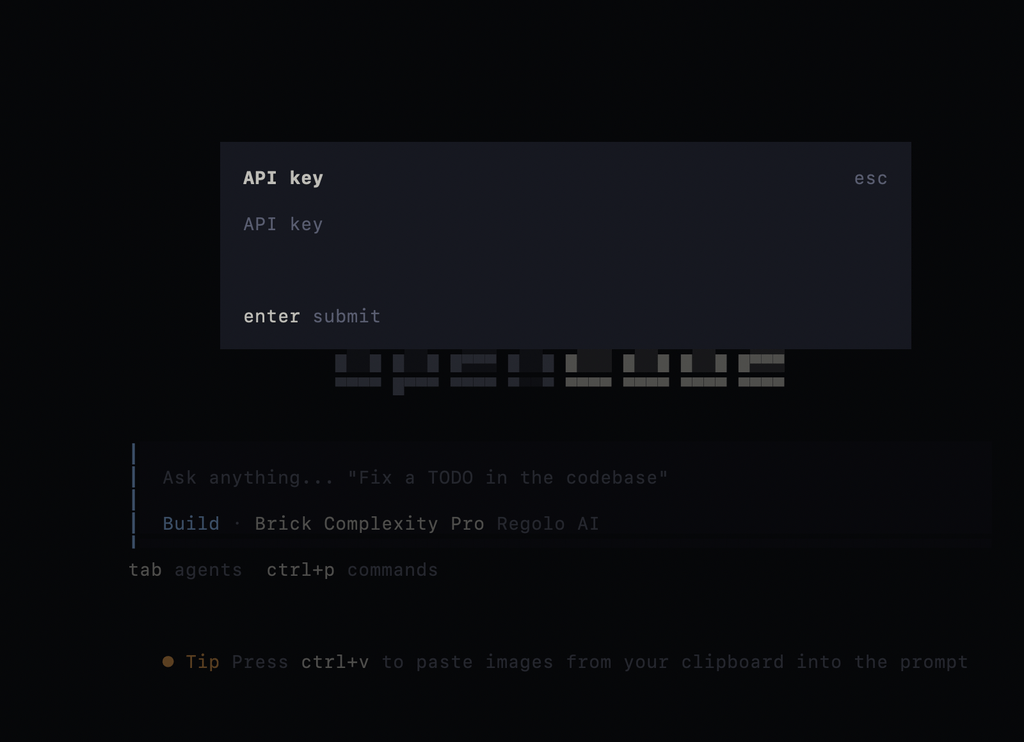
Step 5 — Paste your API Key
Navigate into your dashboard and generate a new api key: https://dashboard.regolo.ai/api-keys
Step 6 — Pick a model and start coding
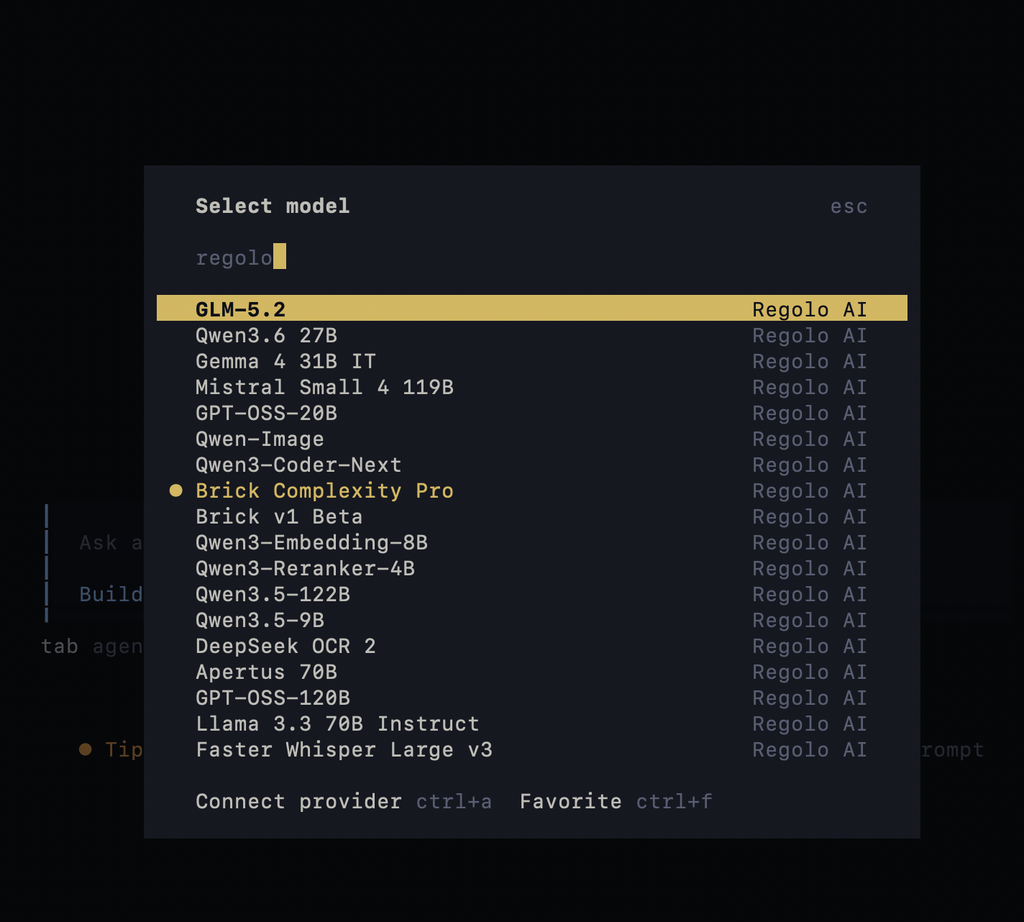
Inside the OpenCode TUI, run:
/modelsCode language: Bash (bash)You’ll see the full list of Regolo models, pick one and you’re ready to code.
Troubleshooting
In case you don’t find a new model in the list you have to refresh the model list running the command below:
opencode models --refresh Code language: Bash (bash)Ship Private AI. Not Infrastructure.
You have the private AI App architecture, bow give it an inference layer built for production.
Regolo gives European teams fast, OpenAI-compatible access to Mistral, Llama, Qwen, DeepSeek, GLM, and more — with zero data retention, EU data residency, and no new SDK to learn.
Change your base_url. Keep your LangChain code. Start shipping.
🚀 Start your 30-day free trial →
Build, test, and deploy with no infrastructure to maintain.
No credit card. No migration project. No compromise on data control.
💬 Join the Regolo Discord →
Meet builders working on private RAG, local LLMs, LangChain, Ollama, and production AI systems. Share your setup, get feedback from the community, and speak directly with the Regolo team.
🤝 Talk to an AI Infrastructure Engineer →
Running a sensitive workload, scaling beyond a proof of concept, or assessing a managed EU inference provider? Get a tailored architecture and commercial proposal for your team.
📂 Clone the GitHub repository →
Get the full implementation from this guide: ingestion scripts, ChromaDB setup, hybrid retrieval, the 30-Question RAG Floor, evaluation examples, and deployment configuration.
Private AI should not require a private data center.
Regolo gives your team an EU-native path from local experimentation to production-grade inference.
Build with Regolo
- Discord: Join the community →
- GitHub: Explore open-source workflows →
- X / Twitter: Follow @regolo_ai →
- Reddit: Join the community →
- Documentation: Read the API docs →
- Contact: Talk to the team →
Built with ❤️ by the Regolo team. Questions? regolo.ai/contact or chat with us on Discord