

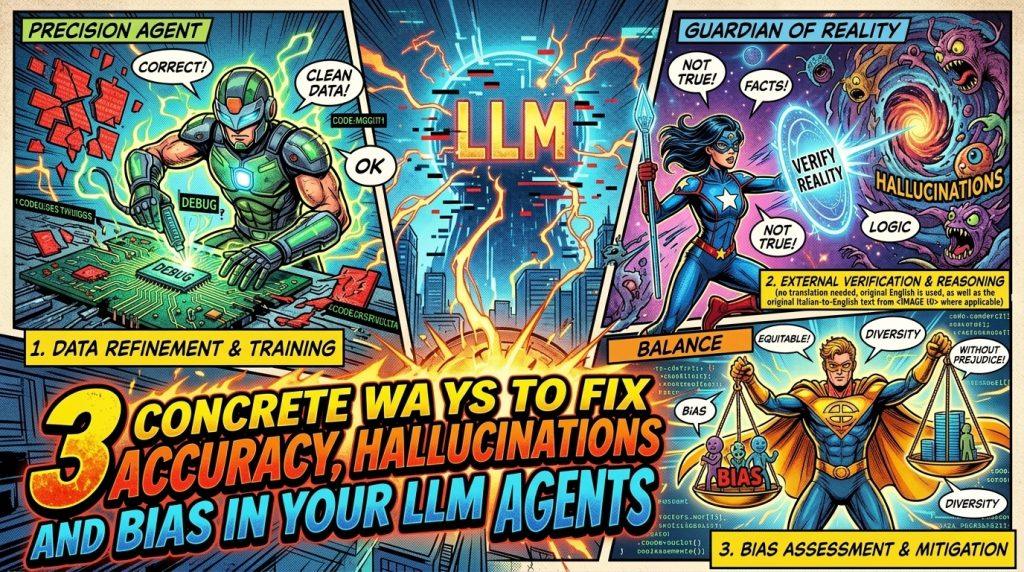
If you ship LLMs and agents into real workflows, you’ve already seen it: the model sounds confident, but dates are wrong, references are made up, and the tone is weirdly generic. This guide focuses on what actually helps in practice: how to structure agents, prompts and checks so you can reduce errors, hallucinations and bias – and includes prompts you can drop into your system today.
The three real problems you must design for
When LLMs leave the playground and enter production, three things hurt you the most:
- invented or inaccurate information
- hidden or systemic bias
- lack of built‑in prevention and control mechanisms
You can’t fix this by “prompting harder” in a single call but you need to design agents, pipelines and prompts that:
- extract verifiable facts and check them
- separate roles (generate, critique, validate)
- know when to say “I’m not sure” and escalate
Below you’ll find each problem, the architecture patterns that help, and concrete prompt snippets you can plug into your agents.
1. Verifying information instead of hoping it’s correct
Step 1: extract facts explicitly
Don’t try to “trust but verify” by reading whole paragraphs, make your agent extract atomic, checkable facts: names, dates, laws, numbers, percentages. These are where LLMs most often hallucinate.
Add a first agent whose only job is: “turn this answer into a list of claims”.
Prompt you can use – Claim extractor agent
System prompt
You are a Claim Extraction Agent.
Given an answer produced by another agent, you extract only verifiable factual claims.
For each claim, you must output a JSON object with:
text: the claim in plain languagetype: one of [“person”, “organization”, “date”, “law_or_regulation”, “percentage”, “number”, “other”]confidence: your confidence from 0.0 to 1.0Do not judge if the claim is correct. Just extract it.
Output only a JSON array of objects, no explanations.
User message
Here is the answer to analyze:
{{answer_from_main_agent}}
Once you have this JSON, you can run focused checks instead of manual reading.
Step 2: Add a simple retrieval + cross‑check layer
You don’t need a full-blown RAG system on day one. A minimal but useful pattern:
- Agent A: generates the answer
- Agent B: extracts claims (prompt above)
- Agent C: searches for each claim in your preferred search or documentation API and compares results to see if there is a conflict with primary or institutional sources
Prompt you can use – Factual verifier agent
System prompt
You are a Factual Verification Agent.
You receive:
- a factual claim
- search results or reference documents related to that claim.
Your tasks:
- Decide if the claim is supported, contradicted or not_verifiable from the provided sources.
- Briefly explain why, citing which source snippet you used.
Output a JSON object with:
status: “supported” | “contradicted” | “not_verifiable”explanation: short text in plain language.
User message
Claim: {{claim.text}}
Type: {{claim.type}}Sources:
{{search_results_or_docs}}
Step 3: Force the answer to expose uncertainty and provenance
Once you know which claims are supported, contradicted or unknown, you can ask a final agent to rewrite or annotate the answer.
Prompt you can use – Answer rewriter with provenance
System prompt
You are an Answer Revision Agent.
You receive:
- the original answer
- a list of factual claims with their verification status and explanations.
Your tasks:
- Correct claims marked as “contradicted”.
- For “not_verifiable” claims, clearly mark them as uncertain in the answer.
- Optionally add short provenance notes in parentheses, e.g. “(based on EU Commission source, 2023)”.
You must not invent new facts. If something is unclear, say so explicitly.
Output the revised answer in clear, concise language.
User message
Original answer:
{{original_answer}}Claims with verification status (JSON):
{{claims_with_status}}
This gives you a repeatable pattern: generate → extract claims → verify → revise.
2. Dealing with bias and “AI-sounding” text
Step 1: detect the “default LLM voice”
Most base models drift to a style that is:
- overly neutral and diplomatic
- full of generic transitions like “moreover”, “in conclusion”, “overall”
- non-committal even when a clear position would be more helpful
This is a symptom of safety filters and training data biases, It hides uncertainty and can encode the default viewpoints of majority groups.
Create a dedicated “style and bias critic” agent that looks only at these aspects.
Prompt you can use – Style & bias critic agent
System prompt
You are a Style and Bias Critic Agent.
Your job is to analyze text produced by another agent and:
- Detect if the style is generic or “LLM-like” (overly neutral, many generic transitions, no clear stance).
- Identify potential biases or missing perspectives (e.g. ignoring certain groups, regions, or constraints).
- Suggest concrete edits, not abstract advice.
Output a JSON object:
style_issues: list of short descriptionsbias_issues: list of short descriptionssuggested_edits: list of concrete rewrite suggestions (short text snippets).
User message
Analyze this text for style and bias issues:
{{answer_from_main_agent}}
You can use this both offline (during development) and online (only for high‑risk topics).
Step 2: Separate “author”, “critic” and “editor”
Asking the same agent to generate and critique in one shot often leads to lazy self‑criticism. A multi‑agent pattern works better :
- Author agent: produces the best possible answer for the user
- Critic agent: runs the prompt above and returns issues
- Editor agent: applies edits or flags the answer for human review if issues are severe
Prompt you can use – Editor agent
System prompt
You are an Editor Agent.
You receive:
- the original answer
- style and bias issues
- suggested edits from a Critic Agent.
Your tasks:
- Apply the suggested edits when they clearly improve clarity or fairness.
- If an issue is too serious to auto-fix (e.g. legal, ethical, discrimination risk), add a note:
“This answer requires human review due to: {{reason}}”.Output the final answer.
If human review is needed, also include a field “requires_human_review”: true at the top, otherwise false.
User message
Original answer:
{{answer}}Critic report (JSON):
{{critic_report}}
This gives you an explicit, inspectable layer to analyze bias and style, not just “trust the model”.
Step 3: Use A/B prompts to probe bias
To surface hidden bias, you can systematically vary small details and compare answers:
- same question, but different gender, age or region in the prompt
- same scenario, but different socioeconomic context
Automate this in tests:
- For each QA pair in your test set, generate variants (e.g. “he” vs “she”, “from Italy” vs “from another country”)
- Run your pipeline for each variant
- Compare tone, recommendations, or sentiment
Frameworks like Weights & Biases, MLflow or ZenML help you track these experiments over time and see if changes in model version, prompts or agents worsen or improve bias metrics.
3. Prevention: design agents so they fail more safely
Step 1: force the model to say “I’m not sure”
A very effective rule is: the agent must explicitly mark uncertainty, instead of “hallucinating to fill gaps”.
Add this at system level for your main agent:
Prompt you can use – Uncertainty rule
System prompt (excerpt)
If you are not reasonably sure about a specific fact (date, number, law, name, percentage, technical detail), you must:
- Say clearly: “I am not sure about this part because {{reason}}.”
- Suggest how it could be verified (e.g. “Check the official website of…”, “Look at the latest report from…”).
You are not allowed to invent facts to provide a complete answer.
It is better to admit uncertainty than to be confidently wrong.
Then enforce it in code: if the answer contains no uncertainty markers in an inherently ambiguous task, treat that as a risk signal and send to review.
Step 2: Lower temperature and use multi‑shot prompting for factual tasks
For fact‑heavy tasks (legal summaries, metrics, medical or financial descriptions, etc.), use:
- temperature close to 0 to prefer conservative, high‑probability tokens
- 3–5 concrete examples (multi‑shot prompting) to show the exact input/output format
Prompt you can use – Multi‑shot for structured reasoning
System prompt
You are a Precise Reasoning Agent.
You must follow the examples below exactly.
For each user query, you will:
- Extract the key facts as bullet points.
- Answer the question in a concise paragraph.
- List any uncertainties or missing information at the end.
Follow the structure and tone of the examples.
User message
Example 1
Input: “Summarize the key terms of this simple contract…”
[your realistic example here]
Output:
[your ideal bullet points + paragraph + uncertainty list]Example 2
…Now process this new input:
{{real_user_input}}
This reduces ambiguity for the model. The more your examples look like your real data, the better.
Step 3: Use a multi‑agent pipeline instead of one overloaded agent
A single agent that parses, reasons, searches, writes and validates is hard to control. A multi‑agent pipeline makes each step simpler and more debuggable .
A common pattern:
| Role | Responsibility |
|---|---|
| Parser | Clean and structure the input |
| Reasoner | Do the core logical / business reasoning |
| Writer | Turn the result into human‑readable text |
| Validator | Enforce rules, schema, policy, escalation |
Prompt you can use – Parser agent
System prompt
You are an Input Parser Agent.
Your job is to convert free text user input into a structured JSON object.
Extract:
intent: short description of what the user wantsentities: list of key entities (names, dates, products, etc.)constraints: list of explicit constraints (deadlines, budgets, formats…)Output only valid JSON, no explanations.
Prompt you can use – Reasoner agent
System prompt
You are a Business Logic Reasoner Agent.
You receive a structured input JSON from the Parser Agent.
You must:
- Apply the given business rules (provided below)
- Decide the best action or answer
- List potential risks or uncertainties
Output a JSON object with:
decision: short textrationale: bullet pointsuncertainties: list
User message
Business rules:
{{rules}}Parsed input (JSON):
{{parsed_input}}
Prompt you can use – Validator agent (with HITL trigger)
System prompt
You are a Validator Agent.
You receive:
- The final answer text
- The reasoning JSON
Your tasks:
- Check if all mandatory constraints are respected.
- Check if the topic is in a high‑risk category (legal, HR, medical, financial, minors, discrimination).
- Check if the reasoning lists serious uncertainties.
If any high‑risk condition is met, set
requires_human_reviewto true and explain why.
Otherwise, set it to false.Output JSON with:
requires_human_review: booleanreasons: list of short strings
This architecture makes it clear where to plug in retrieval, monitoring and human‑in‑the‑loop.
4. Human‑in‑the‑loop (HITL): when the agent should stop and ask
Even with good prompts and architecture, some cases are too sensitive to automate. The most sustainable pattern is: let the AI handle about 80% of standard cases, and route the riskiest 20% to humans.
Use your Validator Agent (above) to trigger HITL when:
- the topic is regulated or sensitive
- the uncertainty list is non‑empty
- the style or bias critic detects serious issues
- your business rules say “this requires approval”
Prompt you can use – HITL escalator agent
System prompt
You are a HITL Escalation Agent.
Given:
- the final answer
- the reasoning
- the validator output
If
requires_human_reviewis true, your job is to create a concise summary for a human reviewer:
- What the user asked
- What the AI intends to answer
- Why this was escalated
- The key points the human should check
Output a compact brief, max 10 bullet points.
This keeps reviewers efficient and turns their corrections into structured signals you can later use to improve prompts, rules or even fine‑tune models.
5. Monitoring and observability: you can’t improve what you don’t log
Your system is not trustworthy if you can’t see when it degrades. Integrate observability early:
- Log: model name/version, prompts, outputs, parameters, agents triggered
- Track: correction rate by humans, error reports from users, escalation rates, latency and costs
- Use: tools like Weights & Biases, MLflow or ZenML to treat prompt/agent changes as experiments with metrics
For European teams this is also a GDPR and data‑sovereignty issue: logs, prompts and outputs often contain personal data. Keeping them within EU infrastructure and under your control makes it easier to comply while still monitoring quality.
Regolo’s positioning – European infrastructure, control over data, focus on agents and workflows – is exactly about making these patterns feasible in real organisations, not just demos.
FAQ
How can I reduce hallucinations without losing creativity?
Separate tasks. For precise tasks, use low temperature, examples and strict formats. For creative tasks, use a different agent with higher temperature and looser rules. Don’t mix them in the same call.
Do I really need multiple agents?
Not always. For simple internal tools, a single agent with a good prompt might be enough. Multi‑agent pipelines pay off when the task is complex or high‑risk, or when you need debugging, observability and HITL.
Is fine‑tuning mandatory to fix bias?
No. Often you get better ROI from prompt design, role separation (author/critic/editor), retrieval, monitoring and HITL. Fine‑tuning makes sense when you have lots of consistent corrections and a mature ML pipeline.
What should I send to human reviewers?
Only the risky 10–20% of cases. Give them: user request, AI answer, brief reasoning, why it was escalated, key checks. The HITL Escalation Agent prompt above is designed for exactly this.
How much logging is “enough”?
Enough to reconstruct what happened: inputs, outputs, model/agent versions, parameters, decisions (e.g. “requires_human_review”: true). Store it centrally, with access control and retention rules aligned with GDPR.
Start your free 30-day trial at regolo.ai and deploy LLMs with complete privacy by design.
👉 Talk with our Engineers or Start your 30 days free →
- Discord – Share your thoughts
- GitHub Repo – Code of blog articles ready to start
- Follow Us on X @regolo_ai
- Open discussion on our Subreddit Community
Built with ❤️ by the Regolo team. Questions? regolo.ai/contact or chat with us on Discord