


Building a custom AI chatbot for your documentation requires a solid Retrieval-Augmented Generation (RAG) setup. This guide explains how to connect Flowise with the Regolo API to index your content and deploy a privacy-first assistant directly on your website.
Why combine Flowise and Regolo
Flowise provides a visual interface to build LLM applications without writing boilerplate code. Regolo supplies the inference layer. By using Regolo as your model provider, you keep data processing within a European infrastructure, ensuring GDPR compliance while maintaining high throughput. The integration works natively because Regolo exposes an OpenAI-compatible API endpoint. You can view the complete visual walkthrough of this process on our official YouTube channel.
The Tutorial Step by Step to setup
Prepare your document store
A RAG chatbot needs context to answer questions accurately. In Flowise, the Document Store manages the external data the model reads before generating a response.
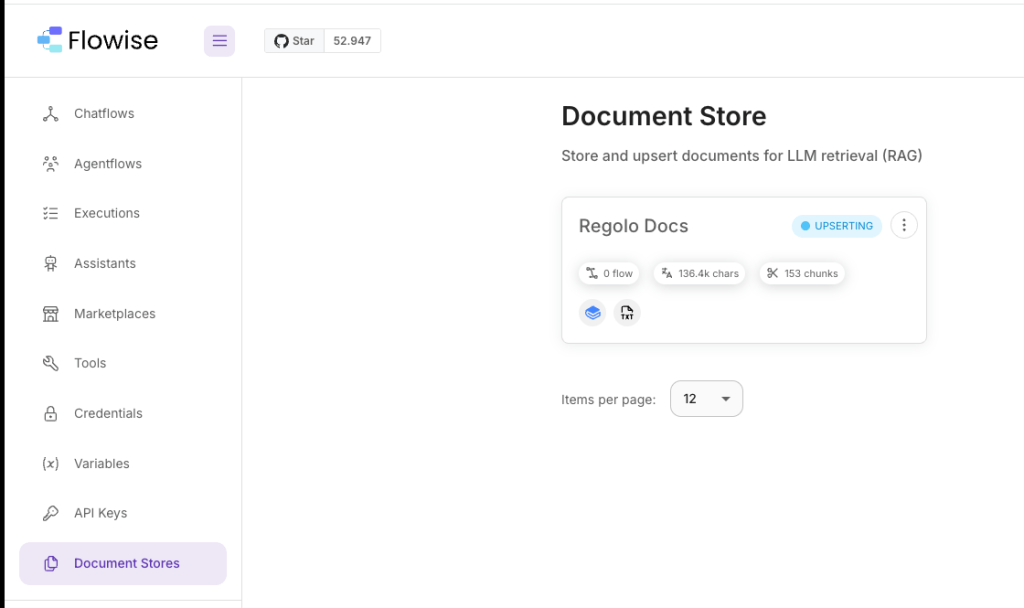
Connect a data source
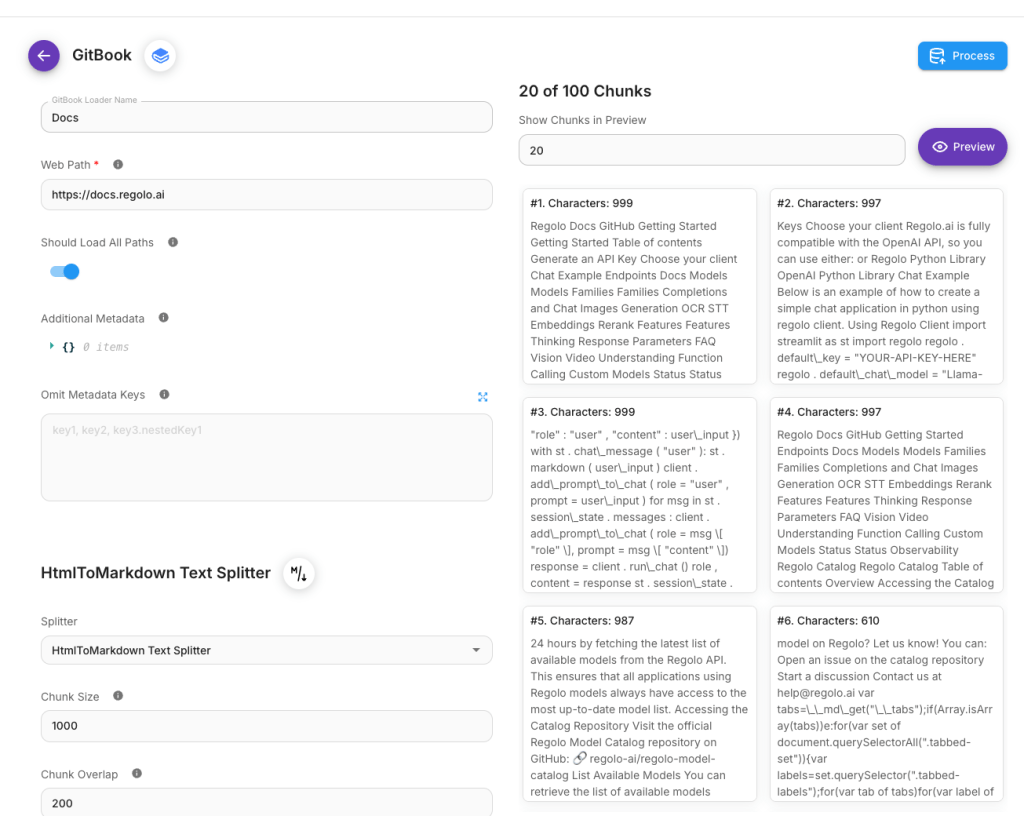
Open Flowise and navigate to the Document Stores section. Click “Add Document Loader”. Flowise supports multiple formats, including static PDF files, Word documents, and web scrapers. If your documentation is online, select a dedicated loader. For example, use the Gitbook loader for docs hosted on Gitbook. Paste your base URL and enable the toggle to load all paths automatically.
Text chunking and validation
Large documents must be split into smaller blocks so the vector database can retrieve them efficiently. Use a Text Splitter node to define the chunk size. Once configured, process the documents. Click “View and Edit Chunks” to verify the text extraction. Clean data at this stage prevents hallucinations during user interactions.
Configure the Regolo API connection
With the knowledge base ready, you need to connect the reasoning engine.
Generate a virtual key
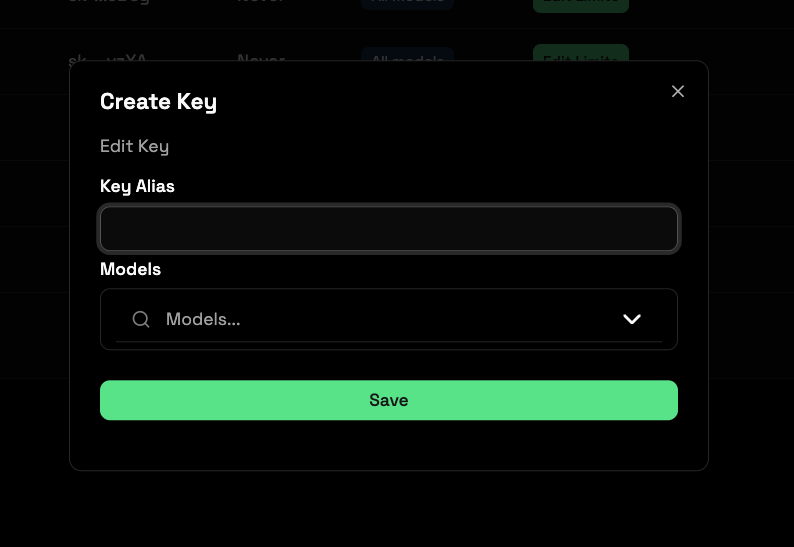
Log into your Regolo dashboard and navigate to Virtual Keys, and create a new key with access to your required models. Copy the generated API key to use for reference.
The standard Regolo subscriptions include free access to all LLM core models up to 50 million tokens daily.
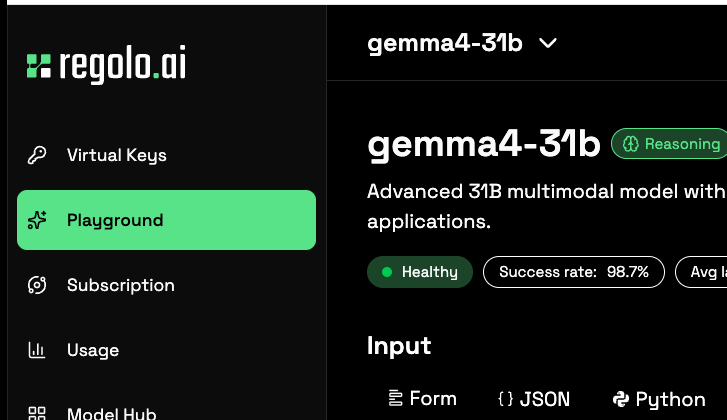
You can test different models and reasoning parameters in the Regolo Playground before moving to production and test that everything works and response as you need.
Set up the assistant in Flowise + Setup Regolo params
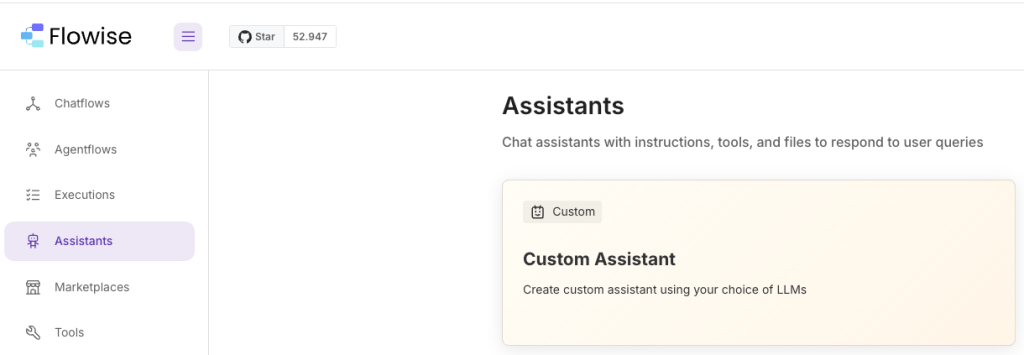
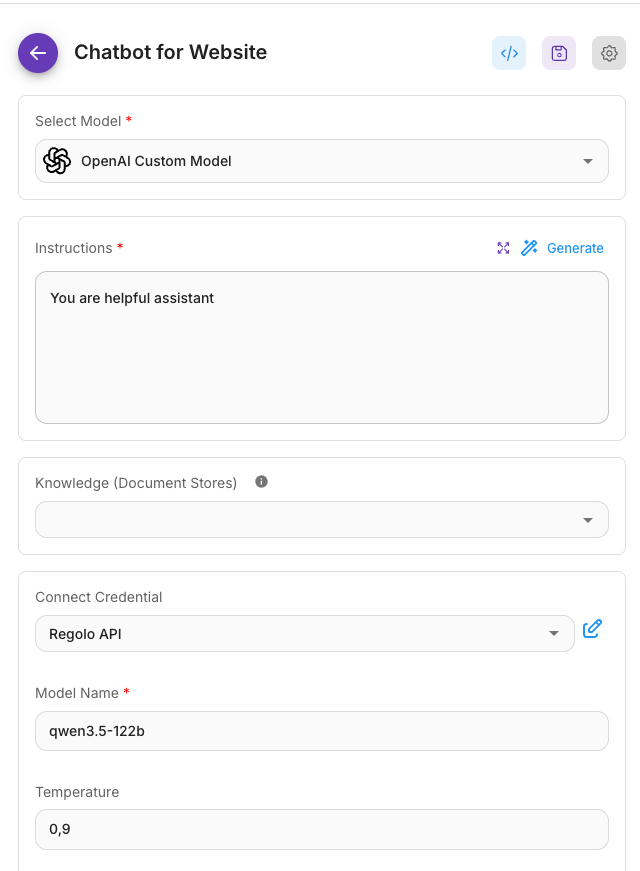
Create a new Custom Assistant in Flowise. Add the “OpenAI Custom Model” node, which allows Flowise to communicate with any API that follows the OpenAI specification.
Select “Create New” under credentials and paste your Regolo API key.
Set the Base URL to the Regolo endpoint. Enter the specific model name you validated earlier.
Adjust parameters like max tokens and streaming, then save the configuration.
Test and embed the chatbot
Before deploying, use the built-in Flowise chat preview to ask questions and verify the retrieval quality. If the answers are accurate, click the “Embed” button.
Flowise provides different export formats depending on your stack:
| Integration method | Best for |
|---|---|
| HTML script tag | Static websites and simple CMS setups |
| React component | Modern single-page applications |
| Iframe embed | Isolated embedding with strict CSS boundaries |
| Web chat widget | Adding a floating chat bubble to any page |
Pick the method that matches your frontend architecture and paste the code into your application. Your chatbot is now live and ready to process user queries.
FAQ
Does Flowise support custom API endpoints?
Yes. You can use the “OpenAI Custom Model” node in Flowise to connect to Regolo by providing your Regolo API key and updating the Base URL.
How much does inference cost with Regolo?
Standard subscriptions include up to 50 million tokens daily for core models. For higher volumes, pay-as-you-go pricing applies.
What formats can I load into the Flowise Document Store?
Flowise supports PDFs, Word documents, PowerPoint presentations, web scraping links, and specific platforms like Gitbook.
Start your free 30-day trial at regolo.ai and move an existing Flowise workflow to an EU-hosted OpenAI-compatible backend without rebuilding the graph.
👉 Talk with our Engineers or Start your 30 days free ->
- Regolo API docs – Swap your Flowise backend with a compatible endpoint
- Models library – Pick the right Regolo model for chat and embeddings
- Flowise on GitHub – Open source tool mentioned in this guide
- GitHub Repo – Open source projects and integrations around Regolo
- Follow Us on X @regolo_ai
Built with ❤️ by the Regolo team. Questions? regolo.ai/contact or chat with us on Discord