
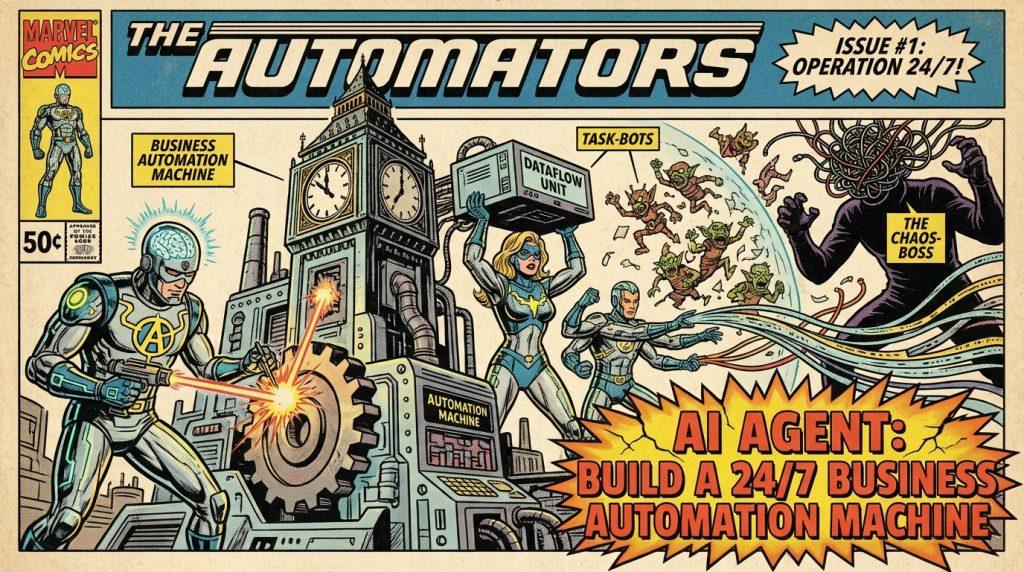
What if your business could run a full marketing pipeline, manage CRM leads, monitor competitors, draft content, and open pull requests — all while you sleep — without paying for a single SaaS subscription?
OpenClaw is a proactive, self-hosted AI agent that lives on your own machine, executes real actions on external tools, and remembers context across weeks of work.
In this guide, you will learn what the OpenClaw AI agent actually is, why businesses are adopting it at breakneck speed, and — crucially — how to build a complete automated marketing pipeline from scratch, including 3-layer persistent memory, multi-agent orchestration, and an Asana-integrated content engine.
Ready to accelerate your AI workflows with low-latency European LLM infrastructure? Start your free trial on Regolo.ai and power your OpenClaw agents with GDPR-compliant, zero-data-retention API endpoints.
What Is the OpenClaw AI Agent?
OpenClaw (formerly Moltbot and Clawdbot) is an open-source, MIT-licensed personal AI assistant designed to do things, not just answer questions. It runs entirely on your own hardware — whether a Mac Mini, a Windows machine, or a Linux VPS — and connects to any chat app you already use: WhatsApp, Telegram, Discord, or Slack.
The key architectural difference from ChatGPT or Claude Code is persistence. Claude Code resets memory between every session. OpenClaw maintains a hierarchical memory structure that can retain context across days and weeks, enabling it to manage tasks that would be impossible for stateless chat models.
OpenClaw also features a Heartbeat Engine — a built-in cron system that allows it to monitor conditions and initiate actions autonomously, without waiting for a user prompt. This means it can check your CRM every two hours, scan competitor prices overnight, or run a nightly content research sweep while you focus on higher-value work.
OpenClaw’s architecture: Your chat app → Your server → LLM API of your choice → External tools (browser, files, APIs, CRM, Asana…)
Because it is self-hosted and open-source, your data never leaves your infrastructure. You bring your own API key and choose your LLM provider — whether Anthropic Claude, OpenAI, or a European LLM-as-a-Service endpoint like Regolo.
8 Reasons Businesses Are Replacing SaaS Tools with OpenClaw
The business case for the OpenClaw AI agent is concrete and measurable. Here is what companies — from one-person startups to marketing agencies — are actually experiencing:
- 24/7 proactive automation: OpenClaw does not wait for prompts. Its heartbeat and cron engine runs background tasks — monitoring, reporting, debugging — around the clock.
- Massive cost savings: Self-hosted means no per-seat, per-workflow, or per-execution billing. Businesses report eliminating $1,000–$35,000/year in SaaS subscriptions across CRM, inventory, market intelligence, and reporting tools.
- Exponential productivity gains: Routine tasks — content pipelines, overnight coding, competitive research, weekly reporting — are delegated entirely. Teams recover 10–30 hours per month.
- Zero new UI to learn: Your team communicates via Slack, Discord, or WhatsApp as usual. The agent lives inside the tools people already use, accessible from any phone.
- Total data sovereignty: Self-hosted and MIT-licensed. Data stays on your hardware or your private VPS. No vendor lock-in, no third-party telemetry, no shared infrastructure.
- Unlimited customization: Install community skills from ClawHub, build custom skills in minutes, chain multiple specialized agents in a swarm, and integrate with legacy systems via shell commands or API.
- Frictionless team collaboration: The agent acts as a shared hub in Slack or Discord. QA engineers, developers, and the AI agent discuss issues in the same thread and automatically generate pull requests.
- New revenue models: Nat Eliason famously gave his OpenClaw bot — named Felix — $1,000 to build its own business. Three weeks later, Felix had generated $14,718 by launching its own website, info product, and X account.
Setting Up OpenClaw Securely: Non-Negotiable Best Practices
Before touching the pipeline configuration, security must be your first priority. These practices apply whether you are running OpenClaw on a Mac Mini M2/M3 (ideal for local sovereignty) or a Ubuntu 24.04 VPS (Hetzner, Hostinger, or DigitalOcean — 2–4 vCPU, 8 GB RAM, ~€5–10/month).
Installation via Docker (recommended):
docker run -d \
  --name openclaw \
  -v ~/.openclaw:/root/.openclaw \
  -v /path/to/workspace:/workspace \
  --shm-size=2gb \
  --restart unless-stopped \
  ghcr.io/openclaw/openclaw:latest
Code language: JavaScript (javascript)
Then run openclaw wizard to connect your LLM (Claude 4 Sonnet or a Regolo endpoint), your chat app, and the headless browser tool.
The 10 security rules you must follow:
- Run on a dedicated machine — never your primary workstation.
- Use Docker + sandbox with
--shm-size=2gbfor browser isolation. - Access the admin dashboard (port 18789) only via Tailscale or SSH tunnel — never expose it to the public internet.
- Store all API keys in
~/.openclaw/.envusingopenclaw secrets— never hard-code them in prompts. - In group chats, enable
channels.whatsapp.requireMention: trueso the agent only responds when explicitly addressed. - Read every skill’s source code on GitHub before installing via ClawHub.
- Assign read-only workspace access (
workspaceAccess: "ro") to secondary agents that only need to read data. - Schedule a nightly backup:
cp -r ~/.openclaw/workspace ~/backups/openclaw-$(date +%F). - Keep
memoryFlush.enabled: true(default) to prevent context loss before compaction. - Monitor with
openclaw logs --followand set a spend alert at $50/day.
The 3-Layer Memory Architecture: OpenClaw’s Core Advantage
The 3-layer memory system is what separates OpenClaw from every other AI tool on the market. Popularized by creator Nat Eliason, this architecture gives the agent the ability to learn your brand, your team’s style, and your business rules — and never forget them.
| Layer | Storage | Content | Purpose |
|---|---|---|---|
| 1 – Knowledge Graph | ~/life/ (PARA: Projects, Areas, Resources, Archives) |
Durable facts about people, projects, brands, competitors | Fast semantic search via memory_search |
| 2 – Daily Log | memory/YYYY-MM-DD.md |
Append-only log of each day’s actions and findings | Short-term recency context |
| 3 – Tacit Knowledge | MEMORY.md (workspace root) |
Brand voice rules, banned phrases, hook examples that worked, lessons learned | Personality and style consistency |
Memory layers 1 and 3 are loaded at the start of every conversation, giving the agent instant access to your brand identity without consuming excessive context tokens. Layer 2 provides recency signals; the agent runs a nightly consolidation at 23:00 that promotes durable learnings from the daily log into Layer 1 or 3.
Configure the extra search path for Layer 1 in ~/.openclaw/openclaw.json:
{
  "agents": {
    "defaults": {
      "memorySearch": {
        "extraPaths": ["~/life"]
      }
    }
  }
}Code language: JSON / JSON with Comments (json)
Then restart with openclaw restart.
Build a Complete Marketing Pipeline: Step-by-Step
This is the core of the guide — a fully working pipeline that turns any link into a humanized Asana content task with zero manual intervention.
Step 1 — Install Key Skills
# Asana integration (official OAuth)
npx playbooks add skill openclaw/skills --skill asana

# Browser control + research
openclaw skills add browser-control
openclaw skills add x-search

# Humanizer (rewrites content in human tone)
openclaw skills add humanizer-proCode language: PHP (php)
Step 2 — Create and Configure the Marketing Agent
openclaw agents add MarketingClaw
openclaw configure MarketingClaw
Assign MarketingClaw its own workspace directory and a separate memory folder. This keeps its context clean and prevents pollution from other agents.
Step 3 — Paste the System Prompt
This is the prompt that defines the complete pipeline. Paste it into MarketingClaw‘s system prompt configuration:
You are MarketingClaw, an autonomous marketing assistant for creators.

FIXED WORKFLOW when you receive a message containing "pipeline:":

1. LINK ANALYSIS → Use browser-control to read the full content of the provided URL.
2. RESEARCH →
   - X-search for the past 7 days on the main topic and related competitors
   - Web search for correlated trends
   - Save everything to memory/today.md with tag #research
3. HOOK + OUTLINE →
   - Generate 3 viral hooks (max 8 words each)
   - Full outline: intro, 3 key points, CTA
   - Use MEMORY.md → "Brand Voice & Rules" section for tone
4. HUMANIZE → Rewrite hooks + outline in 100% human tone using humanizer-pro
5. ASANA TASK →
   - Create task in "Content Pipeline" section of "Marketing 2026" project
   - Title: "Content idea: [short descriptive title]"
   - Description: humanized hook + outline + original link + research summary
   - Labels: idea, priority:medium
   - Due date: +3 days from today
6. Reply: "Pipeline complete ✅ Task created in Asana — [direct link]"

Always use 3-layer memory to recall style, competitors, and what has worked before.
Never ask for confirmation if the message contains "pipeline:".Code language: PHP (php)
Step 4 — Trigger the Pipeline
Send this from WhatsApp, Telegram, or Discord:
pipeline: https://techcrunch.com/2026/02/new-ai-tool-for-creatorsCode language: JavaScript (javascript)What happens in 40–90 seconds:
- The agent reads the full article via headless browser.
- Searches X for “AI tool creators” — last 7 days.
- Generates hooks like: “This tool gave me +340% reach in 48h”
- Writes a humanized 800-word outline.
- Creates a fully populated Asana task with all context attached.
Multi-Agent Orchestration: Scale Beyond One Pipeline
Once your single MarketingClaw is running smoothly, the next step is a multi-agent swarm. OpenClaw supports native agent orchestration, where a primary “orchestrator” agent spawns specialized sub-agents for parallelized tasks:
- CEOClaw — receives all inputs, routes to sub-agents, makes final decisions.
- ResearchClaw — browser + X search, competitive intelligence.
- WriterClaw — content drafting, hook generation, humanization.
- TaskClaw — Asana/Notion/Linear task creation.
- DevClaw — code review, PR generation, CI/CD monitoring.
For multi-threaded execution in a single chat, configure session.dmScope: "per-channel-peer" in your agent config. Each thread in Discord or Slack becomes an independent context. This means your orchestrator can manage five separate content projects simultaneously without cross-contaminating context.
Add advanced automation with the built-in cron system:
openclaw cron add "0 23 * * * MarketingClaw review-today-research"Code language: JavaScript (javascript)You can also set up RSS monitor triggers or Notion/Feedly webhooks as input sources — turning the pipeline into a fully autonomous content intelligence system.
Power OpenClaw with European LLMs on Regolo
OpenClaw’s “bring your own API key” model means you choose the intelligence behind your agents. For European businesses — and for any team that takes data privacy seriously — the choice of LLM provider matters enormously.
Regolo.ai provides LLM-as-a-Service on a GPU cluster infrastructure built entirely in Europe (NVIDIA H100/A100/L40S), with zero data retention and zero data sharing. Every token your OpenClaw agents process through Regolo stays within European jurisdiction and is never stored or used for model training.
Why pair Regolo with OpenClaw specifically?
- GDPR compliance by design: your agents process sensitive business data — CRM records, financial reports, customer profiles. Running them through a Zero Data Retention endpoint eliminates regulatory exposure.
- Low latency for real-time pipelines: the 40–90 second pipeline above depends on fast API response times. Regolo’s green GPU infrastructure delivers sub-second inference even under concurrent agent load.
- Pay-as-you-go, no seat limits: whether you run one agent or a 10-agent swarm, you pay only for tokens consumed — perfectly aligned with OpenClaw’s own cost model.
- Model flexibility: use the latest Claude-compatible or open-weight models without changing your OpenClaw configuration — just swap the API endpoint.
To connect OpenClaw to Regolo, set your LLM base URL and API key during openclaw wizard or add them to ~/.openclaw/.env:
LLM_BASE_URL=https://api.regolo.ai/v1
LLM_API_KEY=your_regolo_api_keyCode language: JavaScript (javascript)
Your agents now think with European infrastructure, keeping every query, every memory operation, and every tool call fully sovereign.
Frequently Asking Questions
What is the minimum hardware to run OpenClaw 24/7?
A VPS with 2 vCPU and 8 GB RAM (~€5–10/month) is sufficient for a single-agent setup. For multi-agent swarms or heavy browser automation, a Mac Mini M2/M3 or a 4 vCPU/16 GB VPS is recommended for reliable production use.
Does OpenClaw work on mobile?
Yes. OpenClaw communicates through messaging apps — WhatsApp, Telegram, Discord, Slack — so you interact with it from any device that runs those apps. No dedicated mobile app is needed.
Is OpenClaw free?
The software itself is MIT-licensed and free. You pay only for: (1) your server/machine, (2) your LLM API usage. Typical total cost is $8–25/month for moderate usage.
How is OpenClaw different from n8n or Zapier?
n8n and Zapier execute pre-defined workflow graphs. OpenClaw uses an LLM to reason about what actions to take, handle unexpected inputs, and make judgment calls — making it far more flexible for unstructured tasks like research, content generation, and code review.
Can OpenClaw write its own skills?
Yes. One of its most unusual features is the ability to build new skills based on YouTube videos, documentation, or plain instructions you give it in chat. It can extend its own capabilities through conversation.
Is it safe to give OpenClaw access to my CRM and email?
With proper security hygiene — dedicated machine, Docker sandbox, Tailscale access, least-privilege workspace — yes. Always audit skill source code before installation, and use read-only workspace access for research-only agents.
Can multiple team members use the same OpenClaw instance?
Yes, via group channels in Discord or Slack. Use requireMention: true so the agent responds only when tagged, preventing unintended triggers in active team channels.
What LLM models work best with OpenClaw?
Claude 4 Sonnet and Opus are the community-recommended defaults for their tool-use capabilities and long-context handling. For European, GDPR-compliant operation, routing through Regolo’s LLM API provides equivalent performance with full data sovereignty.
Start today: Activate your free trial on Regolo.ai and give your OpenClaw agents a GPU-powered, 100% green, European brain.
- Discord – Share your thoughts
- GitHub Repo – Code of blog articles ready to start
- Follow Us on X @regolo_ai
- Open discussion on our Subreddit Community
🤖 Power 24/7 AI Agents with Fast EU Inference
Run OpenClaw autonomous agents on high-throughput European infrastructure. Check out our Memory Benchmark Guide, view transparent pricing, and create your API key to deploy your first agent.
Built with ❤️ by the Regolo team. Questions? regolo.ai/contact or chat with us on Discord